
Setting up a VNA cluster in VI WLD for Distributed Transit Gateway
In this blog, we will create a distributed transit gateway in VCF 9.1 to provide stateful services like NAT and load balancing. To provide these services, a dedicated Virtual Network Appliance cluster will be deployed either through vCenter or in the NSX Managers, followed by a distributed transit gateway.
Diagram
In our environment, we have one Management Domain where all management components like SDDC Manager, vCenter, NSX Managers, and VCF fleet components of VCF 9.x will be deployed, and one Workload Domain where application-related VMs will be deployed. In the Management domain, we have four ESXi hosts with vSAN OSA (Original Storage Architect).
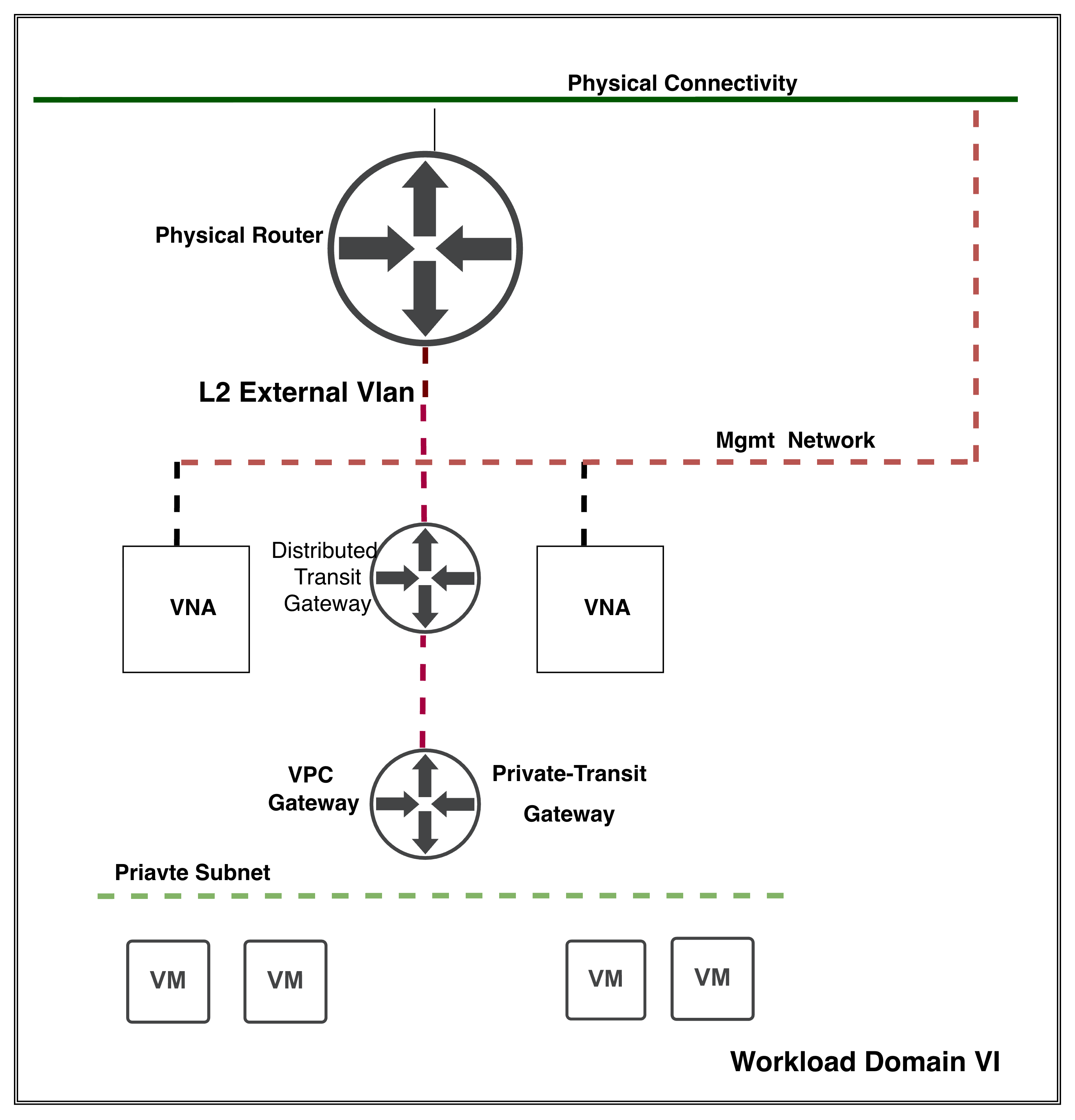
In VCF 9.1, the distributed transit gateway services are not limited to DHCP only. Using VNA clusters, DTW provides services such as custom NAT and L4 load balancing. In distributed connectivity, we don’t need to rely on extensive routing protocols like BGP, OSPF, or static routing protocols.
In this blog, let’s deploy our VNA cluster with an external connection. VNA clusters can be deployed using either vCenter or NSX Manager. These components can be deployed during the deployment of WLD as a Day-1 task. However, in our lab, WLD is already configured, and these components will be deployed as day-2 tasks.
What is VNA? Virtual Network Appliances are lightweight NSX edges that provide stateful services like NAT, DHCP, and L4 Load Balancing without the need to deploy traditional centralised NSX edges. Using these appliances, we can extend our external L2 VLAN and connect our VPC gateway to a distributed transit gateway.
Configuration
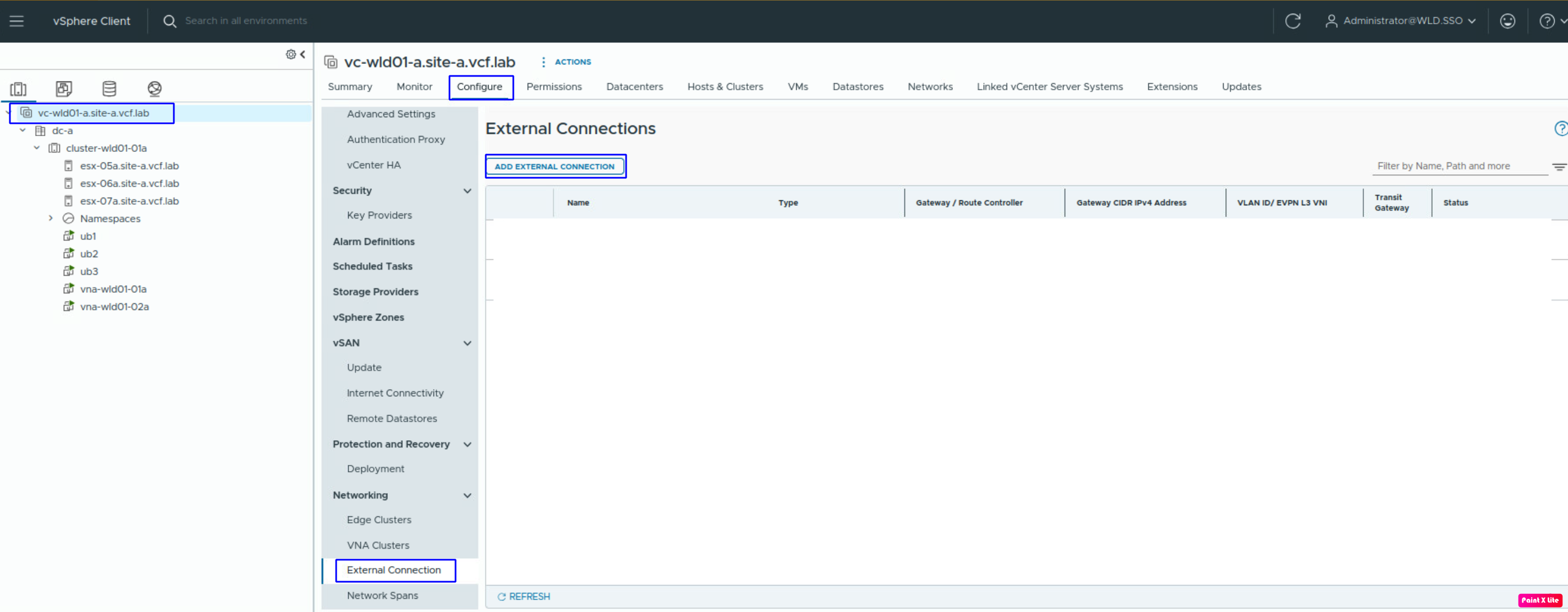
It is the right time to invent the wheel and create an external connection in WLD vSphere. To create the external connection, navigate to vCenter >> Configure >> External Connection and click Add External Connection.
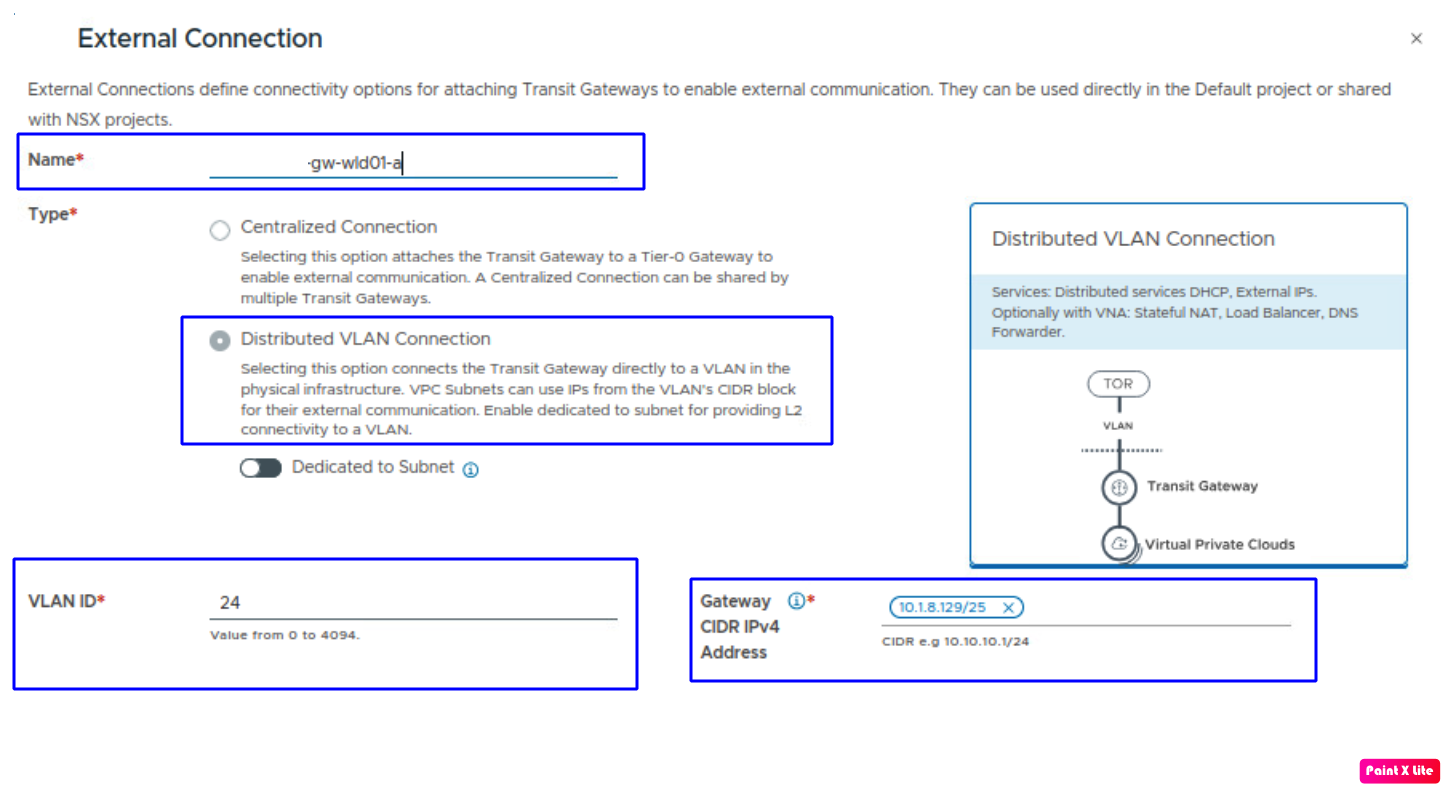
Now, we need to provide details like the name of the Distributed Transit Gateway, the type of the external connection, the external VLAN ID, and the gateway CIDR.
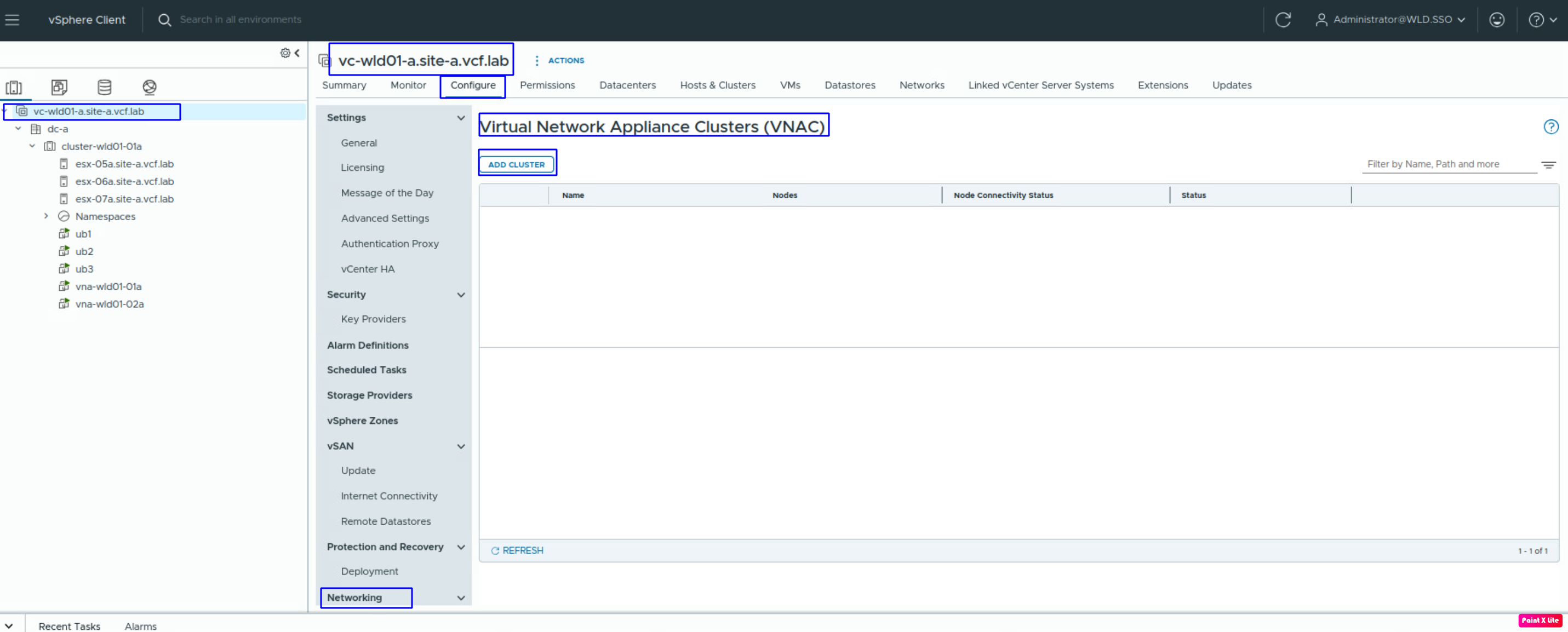
Let’s create our first VNA cluster to proceed further. Navigate to vCenter >> Configure >> Networking >> VNA cluster >> Add Cluster.
Now we will start deploying the VNA cluster. First, we need to provide a cluster name and click on Add.
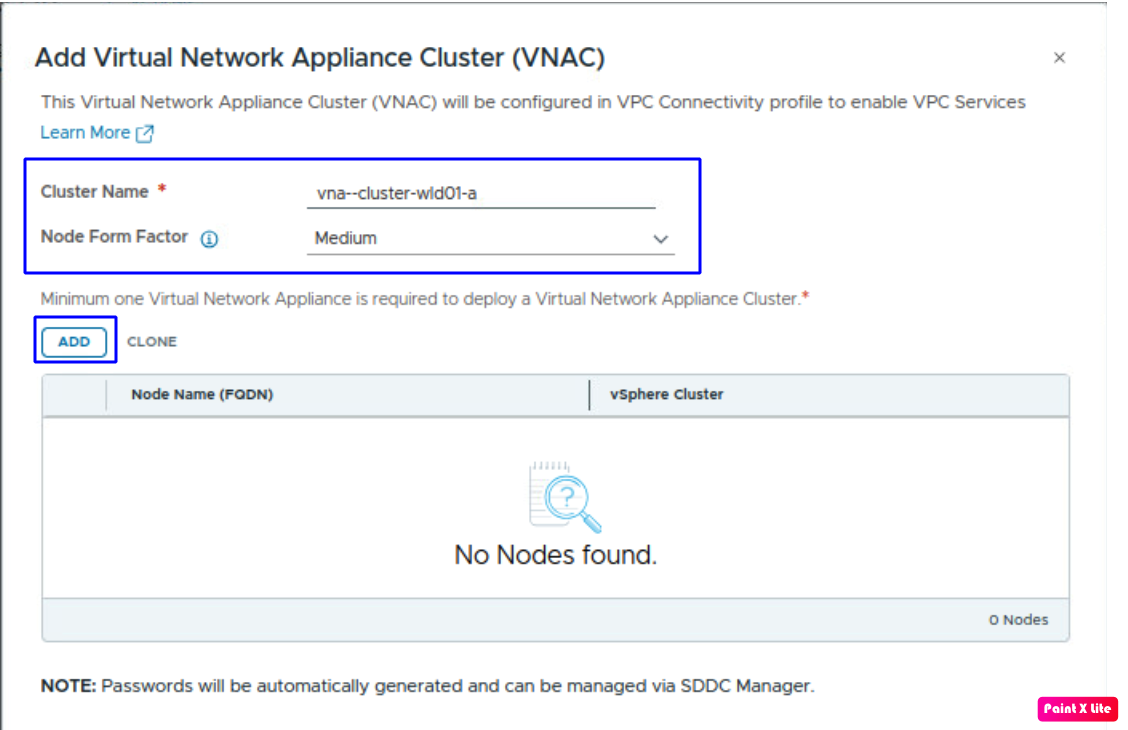
Let’s add our first VNA node. To configure the Virtual Network Appliance, we need to provide information like Node Name, vSphere Cluster (where these appliances will be provisioned, datastore, IP address and its type, along with port-group and gateway details.
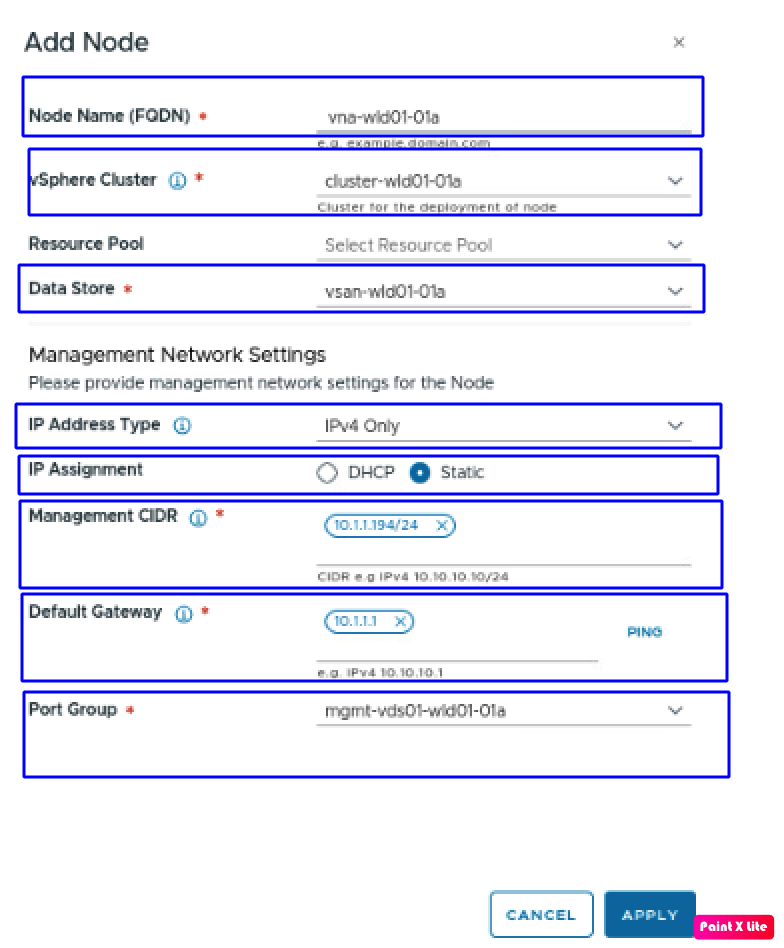
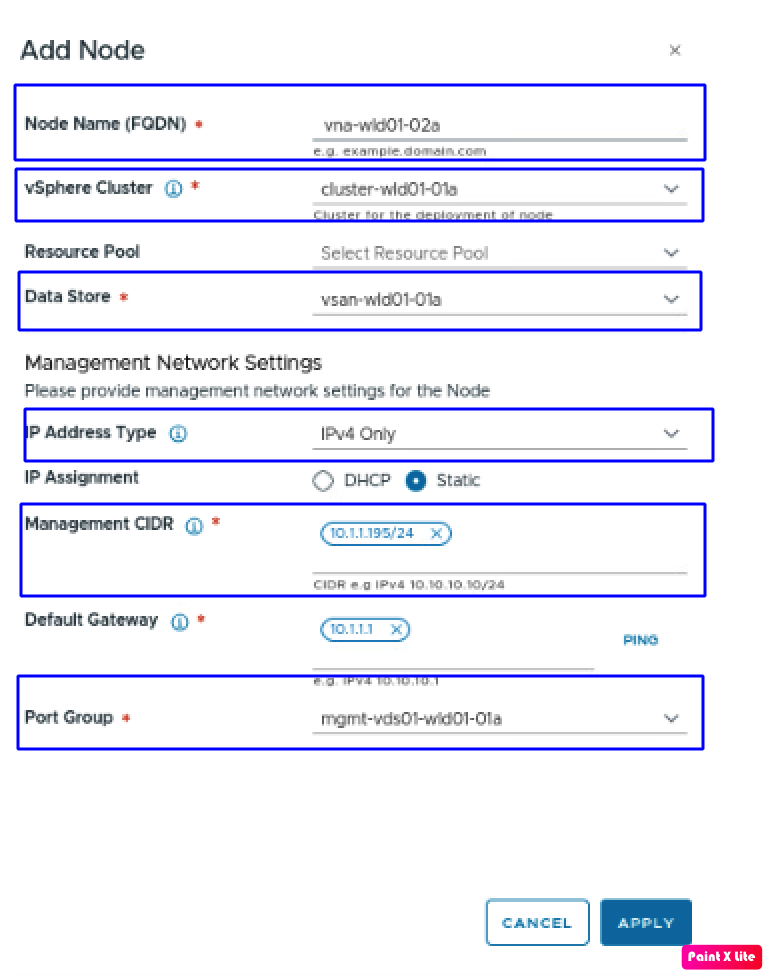
Following the same approach, let’s deploy the second Virtual Network Appliance. After completing all the details, click on Apply.
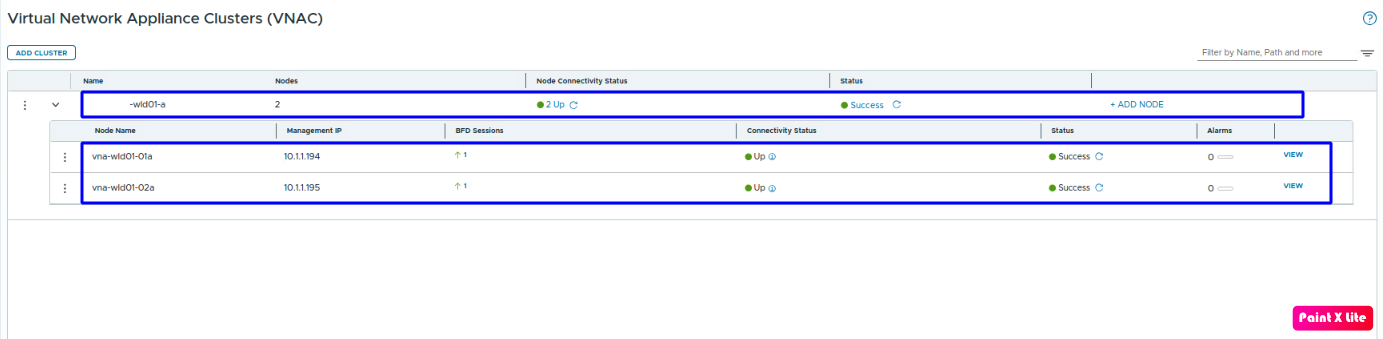
VNA cluster deployment will take 15-20 minutes. The deployment status can be viewed in both vCenter and NSX Manager. In NSX Manager, navigate to System > expand the fabric > VNA cluster. But in this blog, the deployment has been done from vCenter.
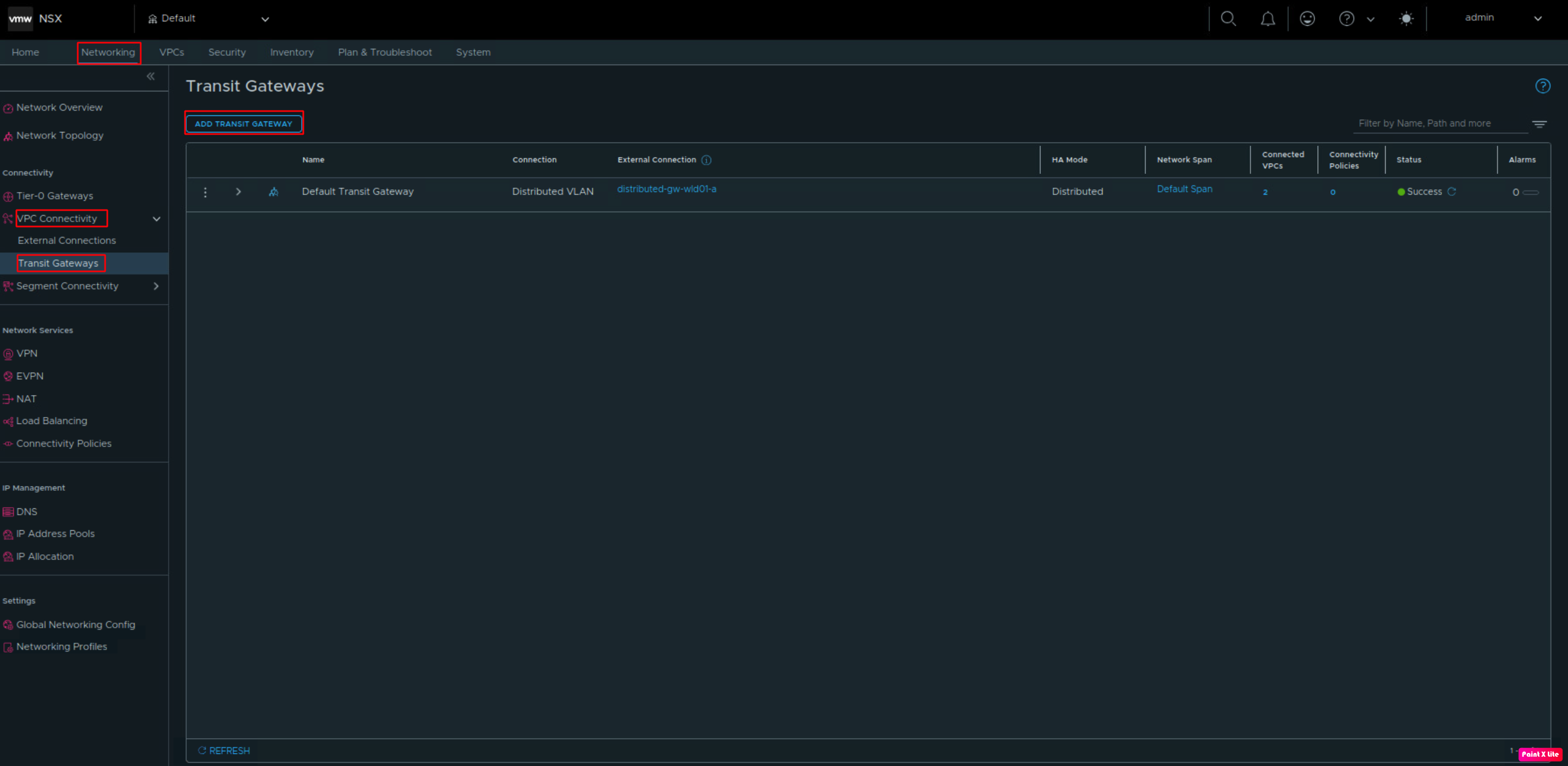
After deploying the VNA cluster, let’s create our first transit gateway and VPC connectivity profiles, and first VPC. To create our transit gateway, log in to NSX Manager, navigate to Networking > VPC connectivity, and click Transit gateway. Click Add Transit gateway.
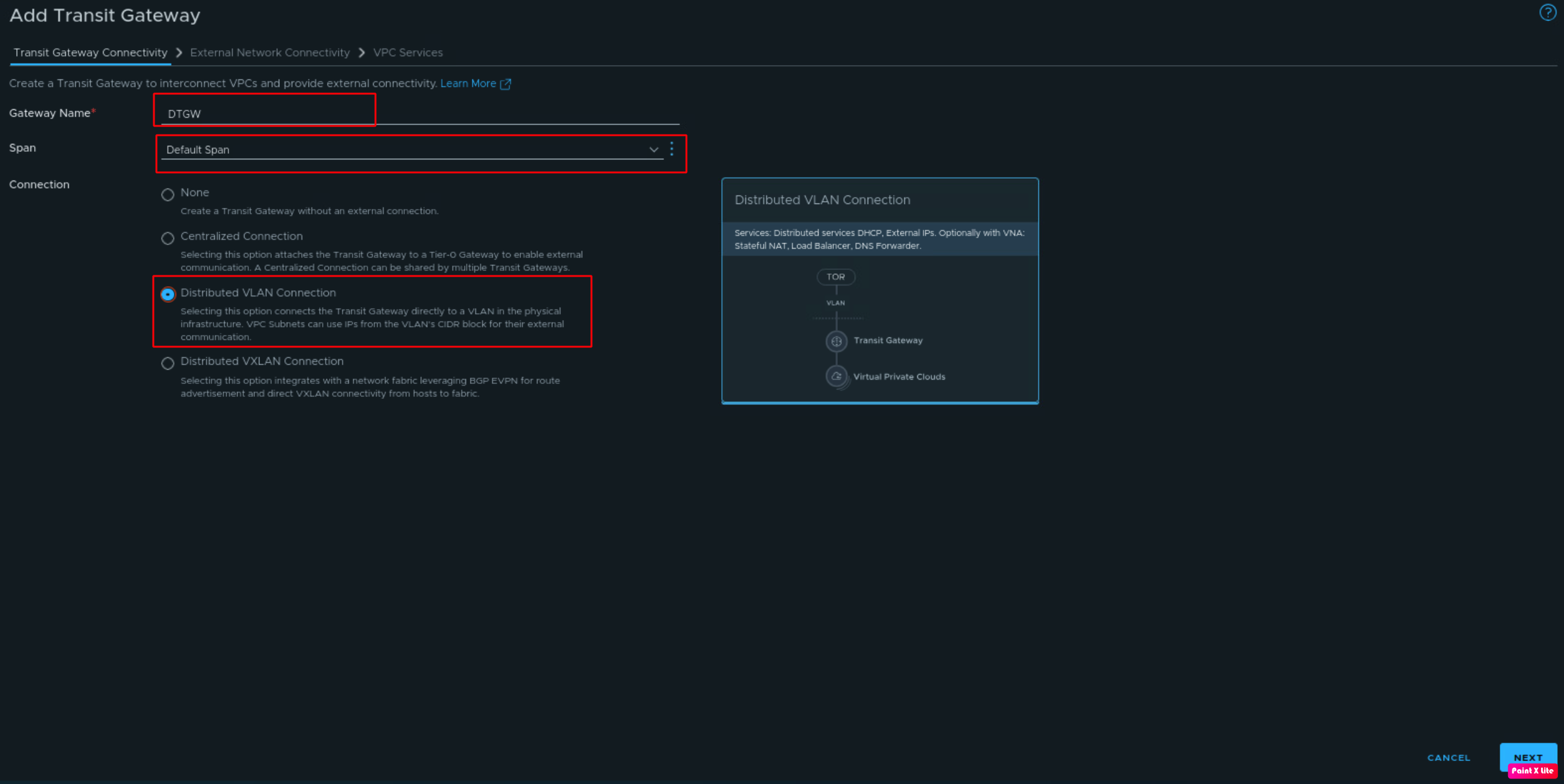
Now, to configure DTGW, we need to provide information like Gateway Name, Span (keeping the default), which we will talk more about, and Connection type, which is a Distributed VLAN connection in our scenario, and click Next.
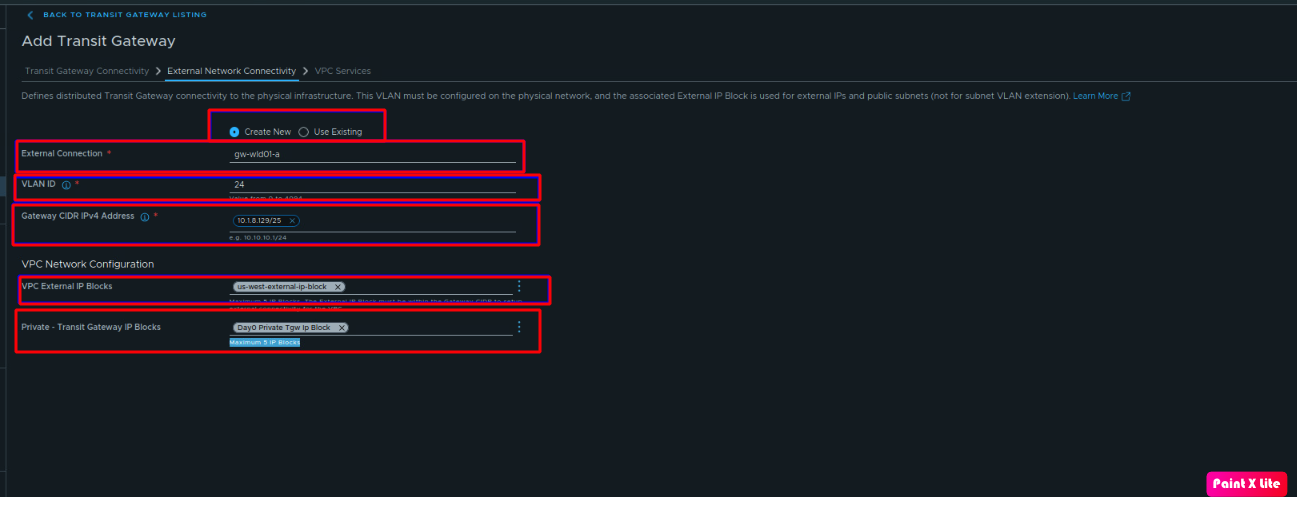
Now let’s complete the deployment of the distributed transit gateway and provide the necessary information like External connection, VLAN ID, gateway CIDR (already created), VPC external IP Blocks, Private Transit Gateway IP Blocks
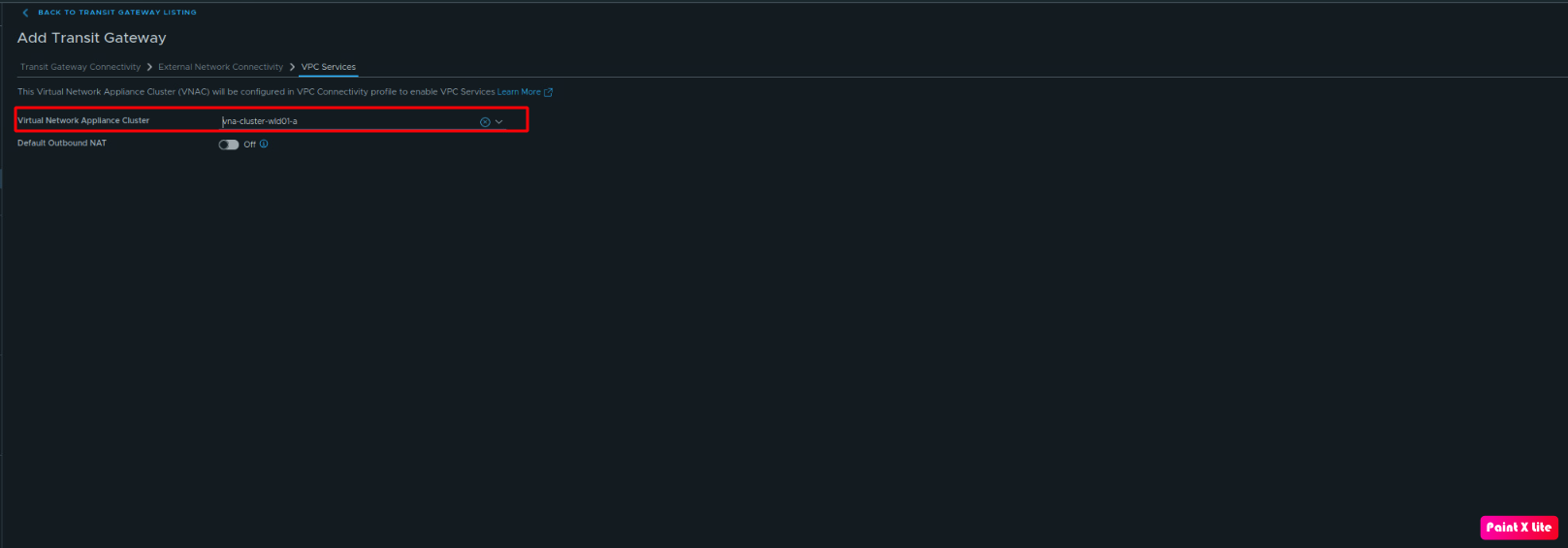
Click on Next and provide the VNA cluster details provided in this blog using vCenter.
Now, we will check the status of our newly created distributed transit gateway.
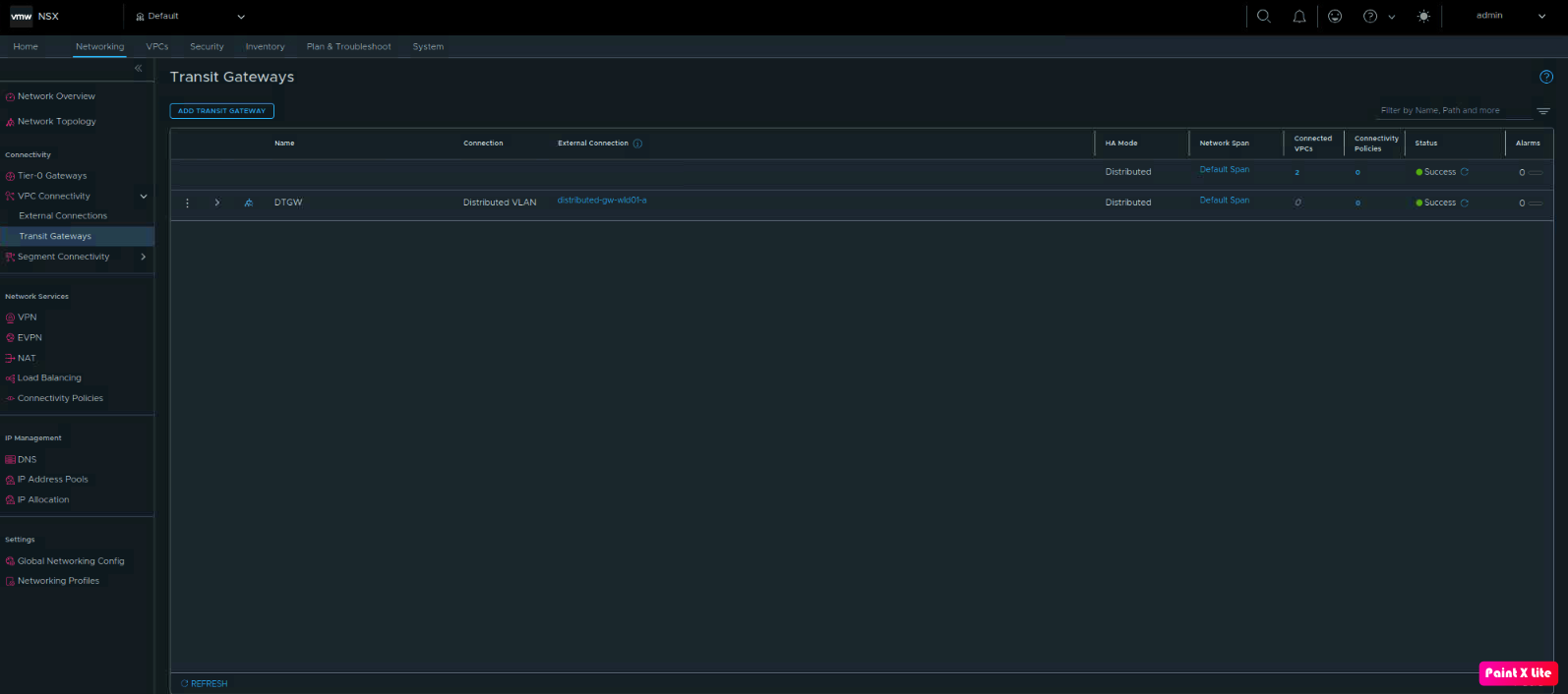
The newly created transit gateway doesn’t have any VPC connected to it, and no VPC connectivity profiles are configured.
Summary
In this blog, we have successfully deployed our first VNA clusters and created our first distributed transit gateway. In the next blog, we will provision our first VPC and VPC connectivity profiles. In future blogs, we will update NSX Cloud in the AVI controllers to use NSX constructs, and we will also integrate all these components with VCF Automation 9.x.


Leave a Reply