

In this part of the blog, we will validate the configuration on VMware Cloud Director along with the creation of two different Tenants belonging to the same organization in two different provider VDCs.
VMware Cloud Director configuration
In our environment, VMware Cloud Director is already deployed. However, before proceeding with further configuration on VMware cloud director to provide NSX-T networking and security capabilities to an organization, it is recommended to verify the integration of vCenter and NSX-T with VCD.
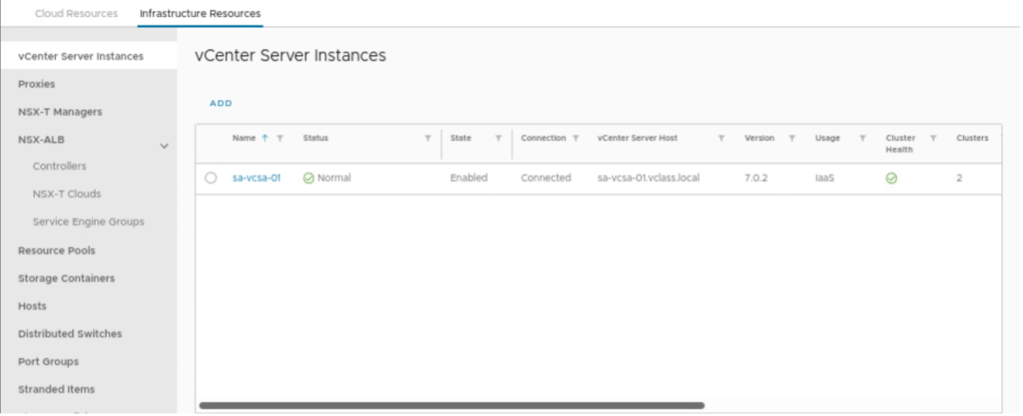
Verify that vCenter should be added to the VCD
Login into VMware cloud director and navigate to infrastructure resources and select vCenter Server instances. However, in the scenario, vCenter is already integrated with VCD.
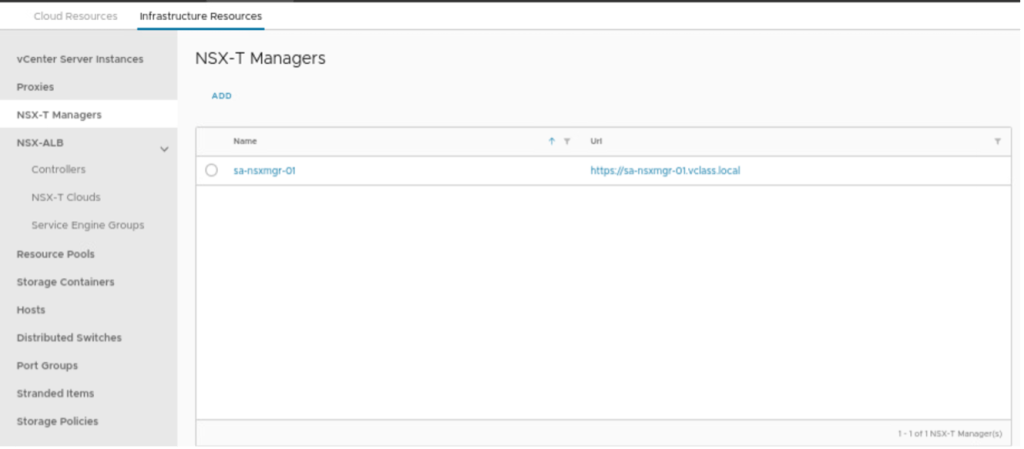
Verify NSX-T manager is added to the VCD
Login into VMware cloud director and navigate to infrastructure resources and select NSX-T Managers. However, in this scenario, the NSX-T manager is already integrated with VCD.
Configure Network Pool
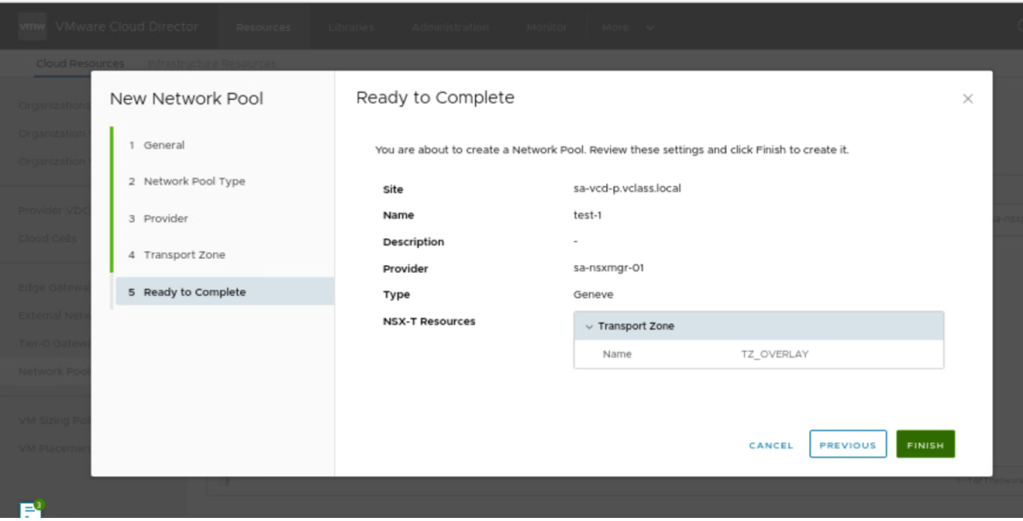
A network pool can be created to provide external connectivity to an vAPP’s. Each VDC in VMware cloud director can be backed by one or more network pools. The network pool for an organization VDC provides the networks created to satisfy the network quota for an organization VDC. In our scenario, a new Network pool with the name Network-Pool-1 is created, which is backed by Geneve protocol and transport zone (TZ_OVERLAY), which has been configured in NSX-T.
In the first step, we will provide the name of the network pool.

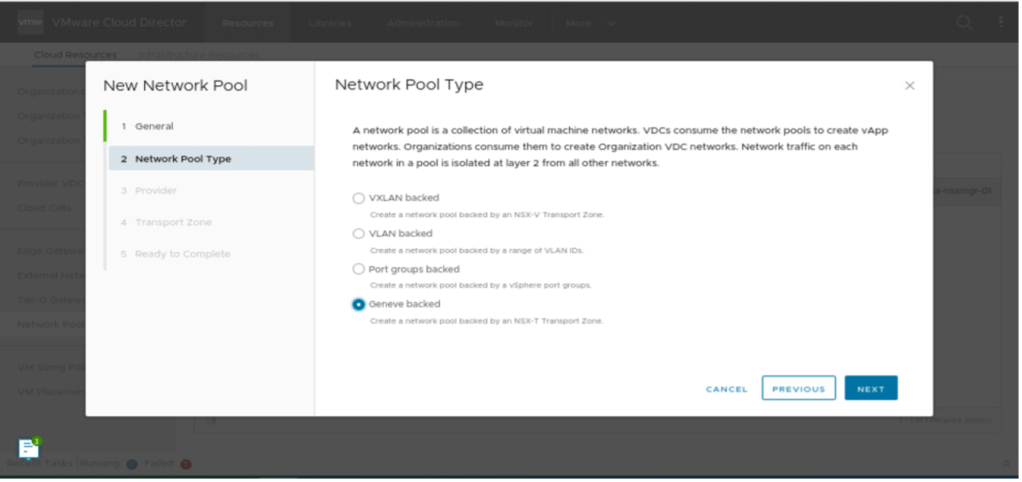
In order, to provide a network pool type, which is Geneve in our scenario has been selected next.
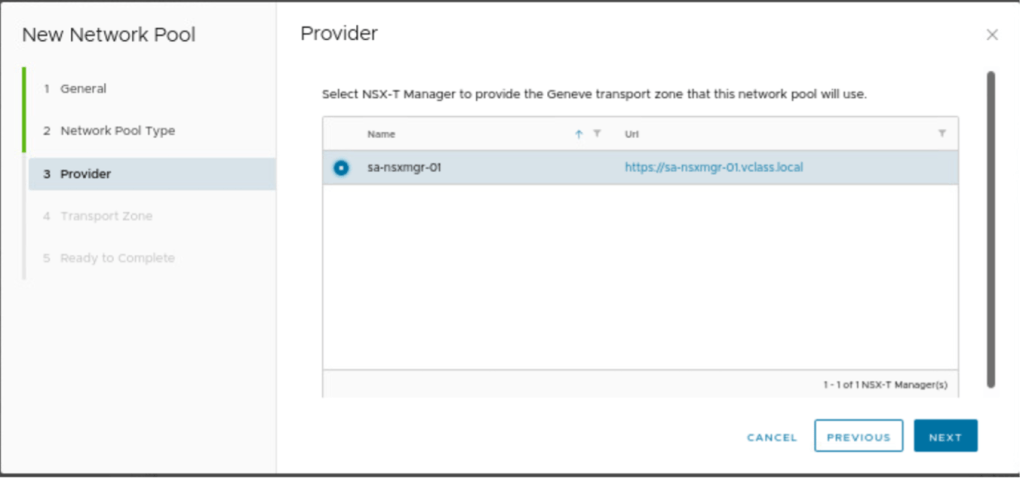
VCD will consume all network-related details from NSX-T, therefore, NSX-T manager. Has already been integrated with VCD in step-2 and will be consumed next.
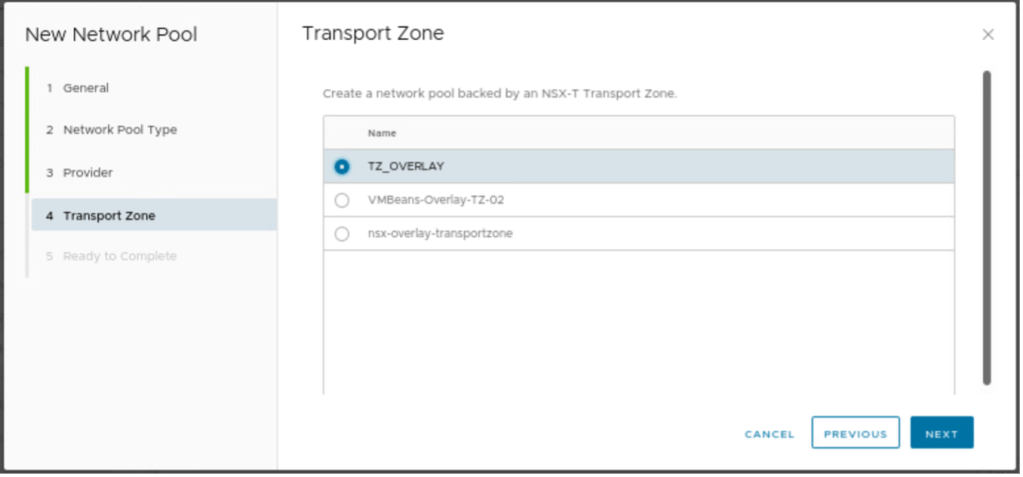
In the next step, we need to provide information related to the transport zone, which is TZ_OVERLAY, which will be selected.
In the final step, review the configuration and click on finish.
Configure External Network
External networks provide external connectivity to vAPPs via the public internet and cooperate VPN. These networks in VCD either be backed by the vCenter port group or by the NSX-T logical segments. However, in our scenario, two external networks have been created one via dPG and another one via NSX-T segments.

NB: In this article, we will not use external networks to connect OrgVDC via external networks. A separate tier-0 VRF has been created for each Organization, which has different OrgVDC in two different provider VDCs.
Configure Tier-0 Gateway for Tenant-A
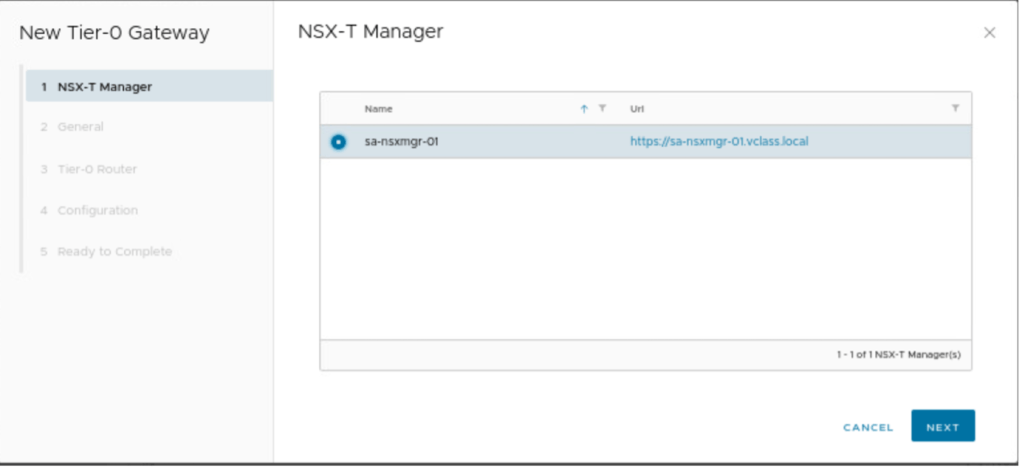
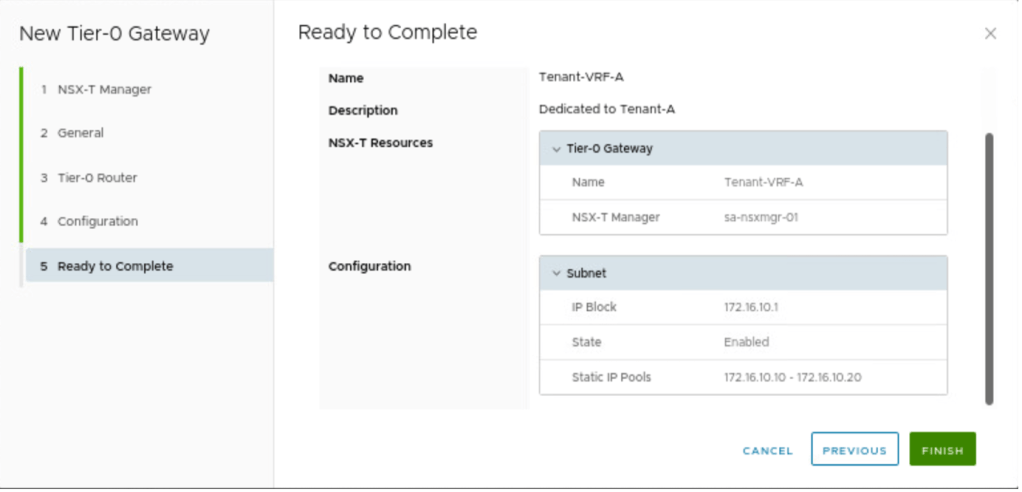
In part-1, we have deployed one Tier-0 VRF for tenant-A (Tenant-VRF-A), now in this section, we will import the same Tier-0 VRF in VMware cloud director and dedicate it to Tenant-A. Login into the VMware cloud director, go to cloud resources, and then click on Tier-0 Gateways.
In the first step-1, select the NSX-T manager, on which the Tier-0 VRF gateway is deployed
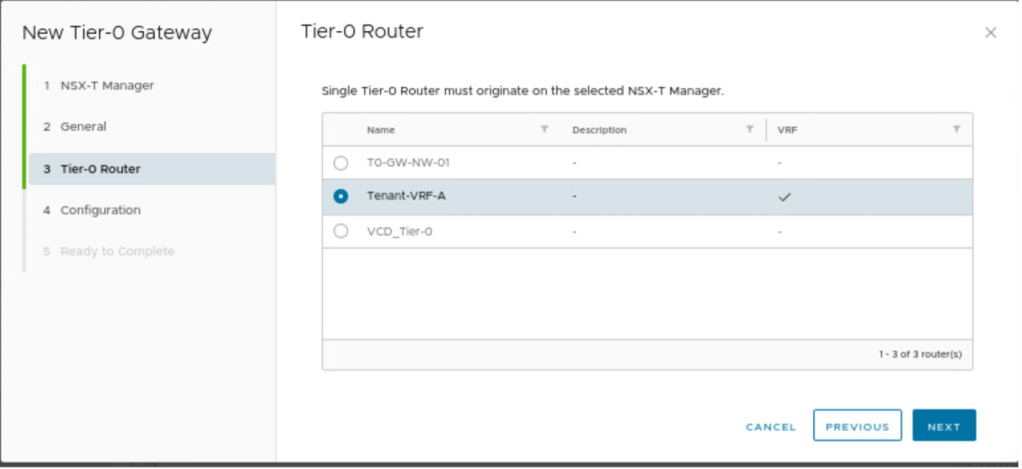
Provide the name to Tier-0 gateway, which we have kept same as of NSX-T, which is Tenant-VRF-A.

Select the Tier-0 gateway, which we want to dedicate to Customer-A.
In the next step, we need to provide an IP block, which can be used to do NAT, assign IP addresses to VM, and so on. We will talk more about this subnet in part-3. In our scenario, we have reserved below subnet.
| IP Pool subnet | Gateway | IP pool |
| 172.16.10.0/24 | 172.16.10.1/24 | 172.16.10.10-172.16.10.20 |
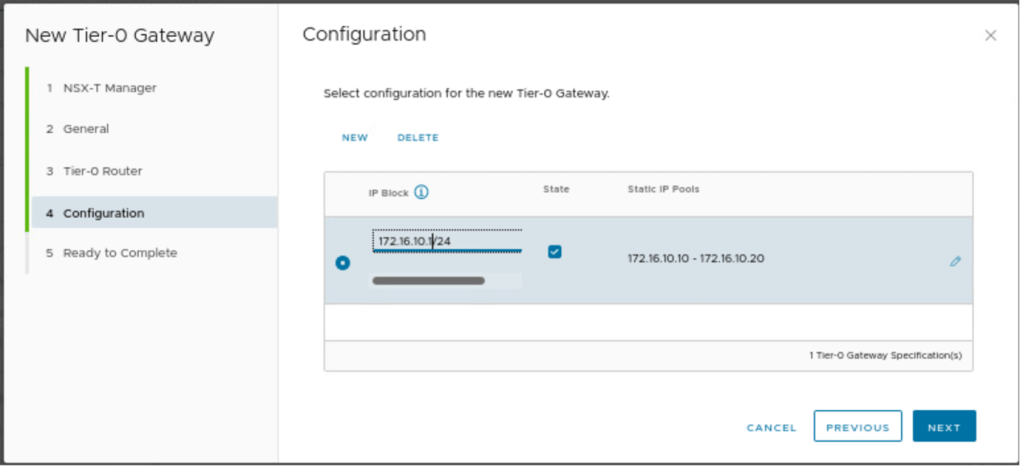
Review and save the configuration.
Organization and provider VDCs
Creating an organization and provider VDCs are out of the scope of this blog, however, below are the details of an organization and provider VDCs used in this blog.
We have created an organization “OrganizationA” which will have two Tenants, one at primary DC and another at secondary DC.

Two provider VDC have been created, which are backed by a single vCenter, both primary and secondary DC are managed by the single instance of vCenter. Separate resource pools have been created, RP-1 (primary) and RP-2 (secondary).
| Provider VDC | vCenter | Resource Pool | Network Pool |
| Provider-VDC-1 | sa-vcsa-01 | RP-1 | Network-Pool-1 |
| Provider-VDC-2 | sa-vcsa-01 | RP-2 | Network-Pool-1 |
NB: Make sure IP pools used in Geneve are reachable across two DCs and have a minimum of 1700 bytes of MTU.

Creating an Organization VDC
In this section, we will create a new organization VDC “Tenant-A” for an organization “OrganizationA” in provider VDC “Provider-VDC-1”, which will span only at primary DC
| Organization VDC | Tenant-A (OrgVDC-1) |
| Organization Name | OrganizationA |
| Provider VDC | Provider-VDC-1 |
| Allocation Model | Pay as you Go |
| Storage Policies | Any |
| Network Pool | Network-Pool-1 |
In this step, we will configure a new OrgVDC with the name Tenant-A.
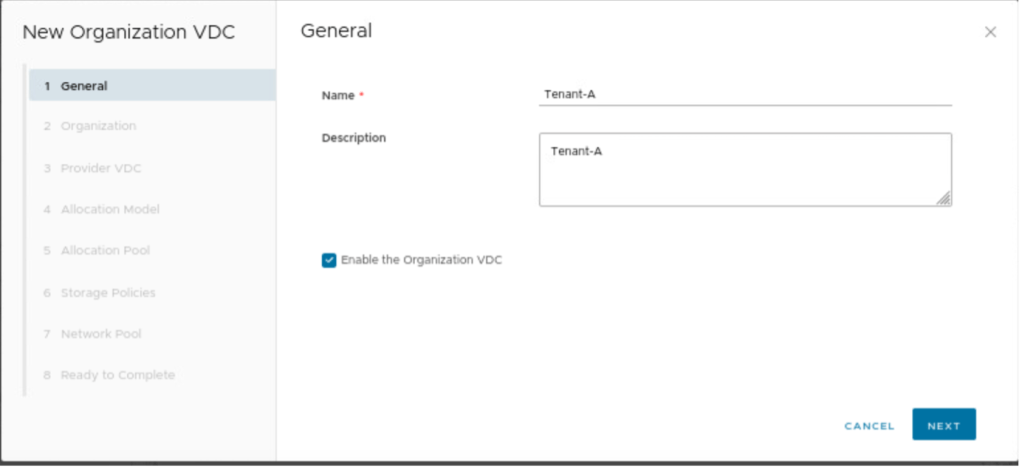
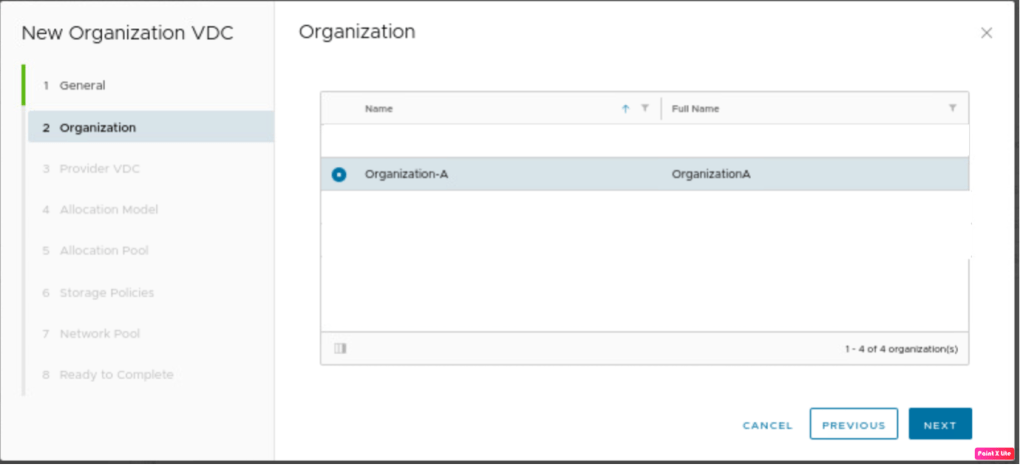
A new tenant will be part of the organization VDC, therefore “Organization-A” is selected.
A new OrgVDC “Tenant-A” will be part of Provider-VDC-1.

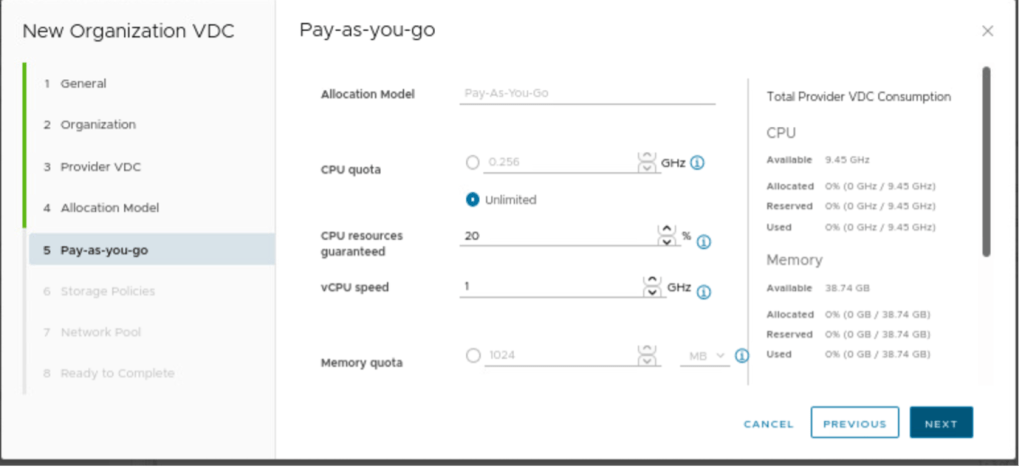
In this step, we need to provide an allocation Model, which is “pay as you go” in this blog.
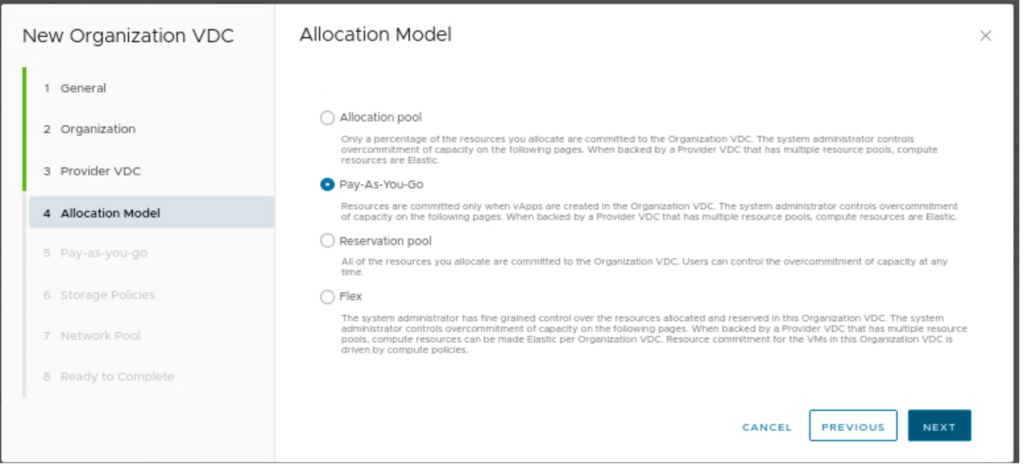
In Pay-as-you-go, nothing has been changed. It can be changed as per the requirements.
“Any” storage policy will be used with thin provisioning.

In networking, we need to define Networking-Pool created in part-2.
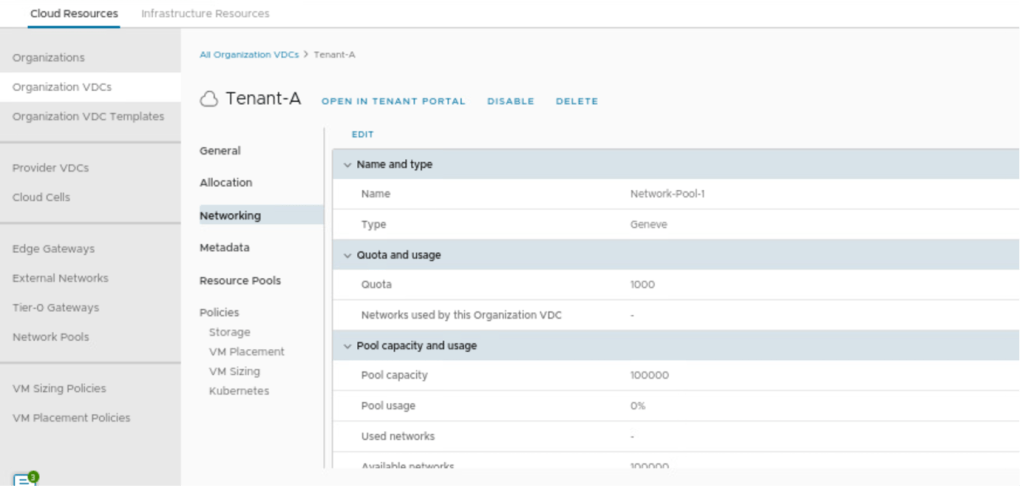
In the final step, we will review the configuration and create the OrgVDC in Provider-VDC-1.

In the next step, we will create a new organization VDC “Tenant-B” for an organization “OrganizationA” in provider VDC “Provider-VDC-2”, which will span only at secondary DC.
| Organization VDC | Tenant-B (OrgVDC-2) |
| Organization Name | OrganizationA |
| Provider VDC | Provider-VDC-2 |
| Allocation Model | Pay as you Go |
| Storage Policies | Any |
| Network Pool | Network-Pool-1 |
In this step, we will configure a new OrgVDC with the name Tenant-B.
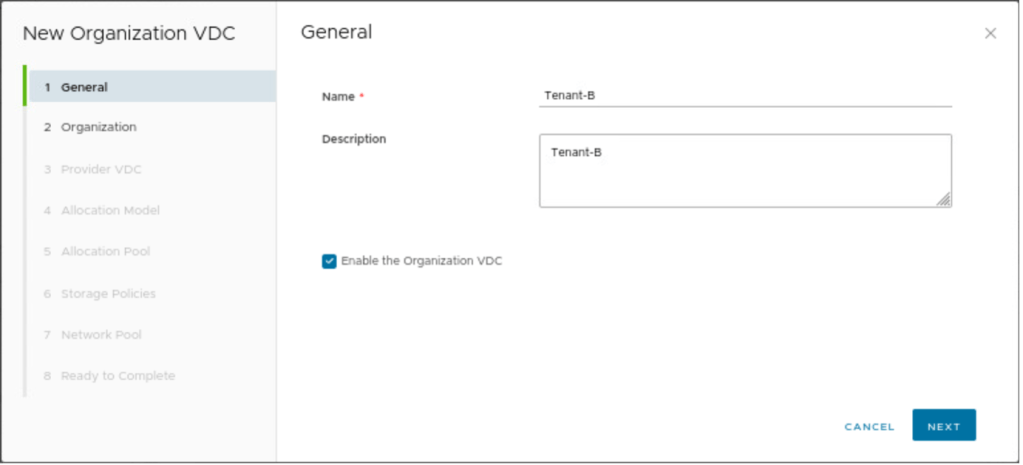
A new tenant will be part of the organization VDC, therefore “Organization-A” is selected.

A new OrgVDC “Tenant-B” will be part of Provider-VDC-2.
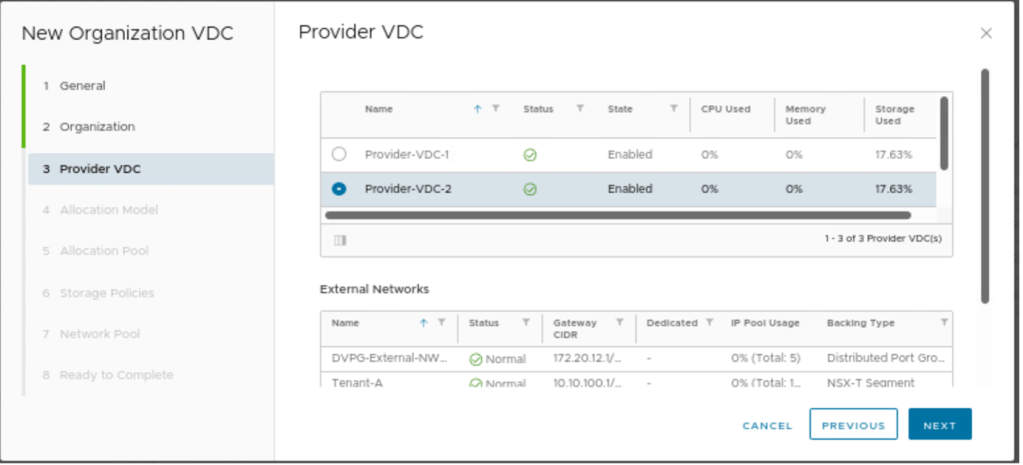
In this step, we need to provide an allocation Model, which is “pay as you go” in this blog
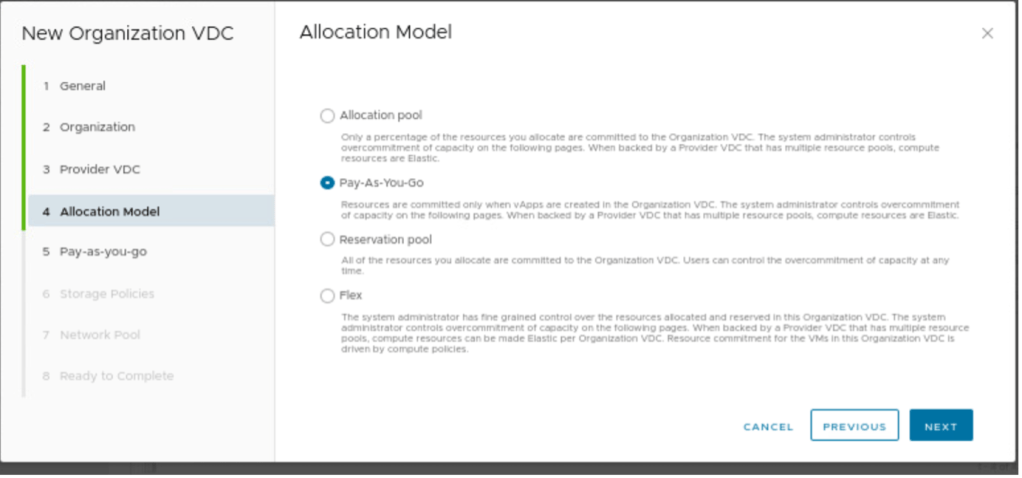
In Pay-as-you-go, nothing has been changed. It can be changed as per the requirements.
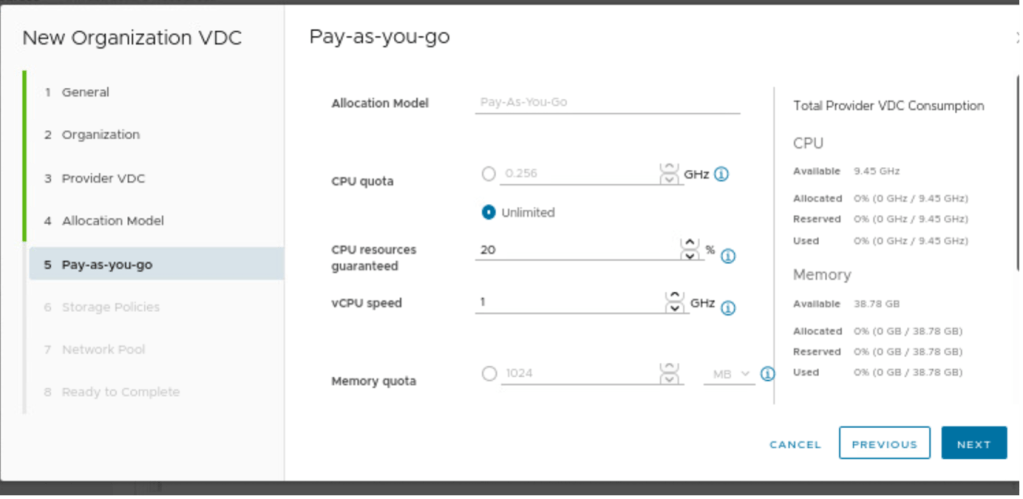
“Any” storage policy will be used with thin provisioning.

In networking, we need to define Networking-Pool created in part-2.
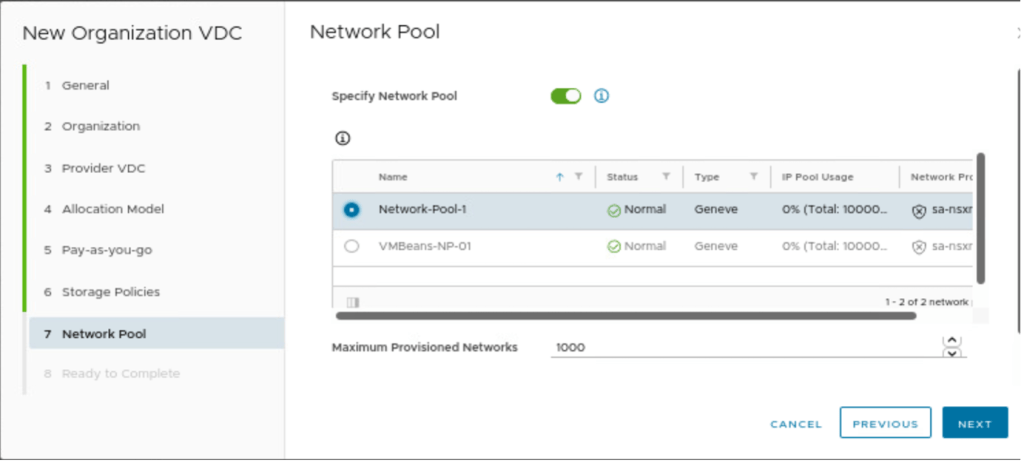
In the final step, we will review the configuration and create the OrgVDC in Provider-VDC-1.
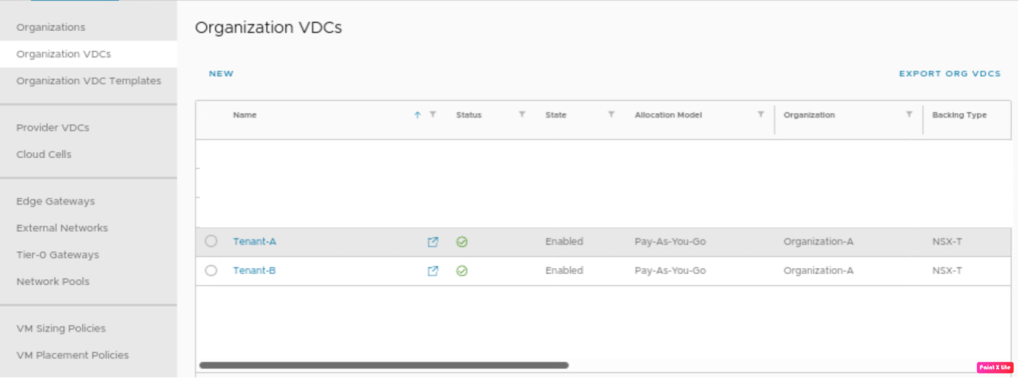
Tenant-A and Tenant-B have been deployed successfully.
In Summary
In the first blog (https://vxlearners.com/2023/06/07/nsx-t-integration-with-vcd-part-1/), we discussed on NSX-T configuration required to onboard a tenant in VMware cloud director. However, in this blog, we have discussed the basic configuration required on VMware cloud director required to configure OrgVDC and integrate it with NSX-T.
In upcoming blogs, we will configure Tier-1 and segments per OrgVDC and test the network connectivity between OrgVDC belonging to the same organization. Later on, we will also configure an inter-VDC using data center groups and create a stretch Tier-1 gateway and will perform a failover of vAPPs from Provider-VDC-1 and Provider-VDC-2, retaining the same IP addresses


Leave a comment