

Introduction
In this series, we will discuss how NSX-V backed Org vDC will be migrated to NSX-T using using lift and shift approach (open source tool). In this part, we will discuss all the prerequisites required to initiate the migration like creating Tier-0 gateway, creating NSX-T based provider resource pool, creating dummy networks, and so on.
Diagram
In our environment, we have one organisation named “Admin“, under this organisation there are two Org vDC VDC1 and VDC2. Both these VDC’s are currently backed by NSX-V. In the first Org vDC, there is one ESG (edge-1) connecting to the physical router, a DLR (edge-2) connecting to ESG, and logical switches connecting to the DLR. This org vDC also has direct (via dPG) and isolated networks (not connected to gateway). ESG also hosts services like route IPsec route based tunnels.In the second Org vDC, there is one ESG (edge-3) connecting to the physical router, a DLR connecting to ESG (edge-4), and one routed logical switch connecting to the DLR. The below diagram represents the existing connectivity before the migration.

In order to proceed with the migration tool, there are few requirements that have to be completed. In the below section, we will discuss all necessary object creation in the vCD, vSphere, NSX-T, and so on.
Pre-requisites
To make a start, we will prepare the compute cluster (cluster02) for the NSX-T consumption. Cluster02 has four ESXi hosts and all these hosts have been configured with default vlan and overlay transport zones.

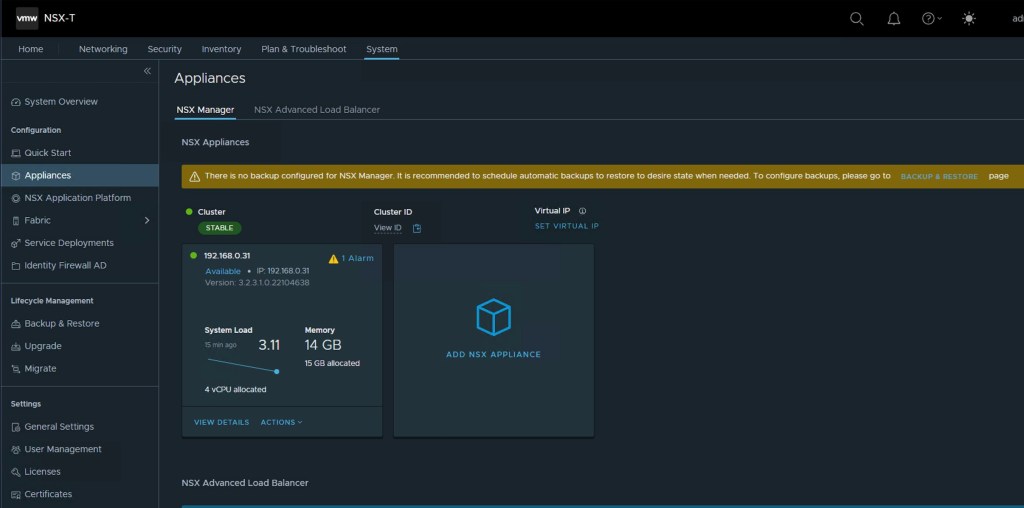
We have already deployed single NSX-T manager (version-3.2.3.1) in the lab. In the below step, its validate the single NSX-T manager and its stability.
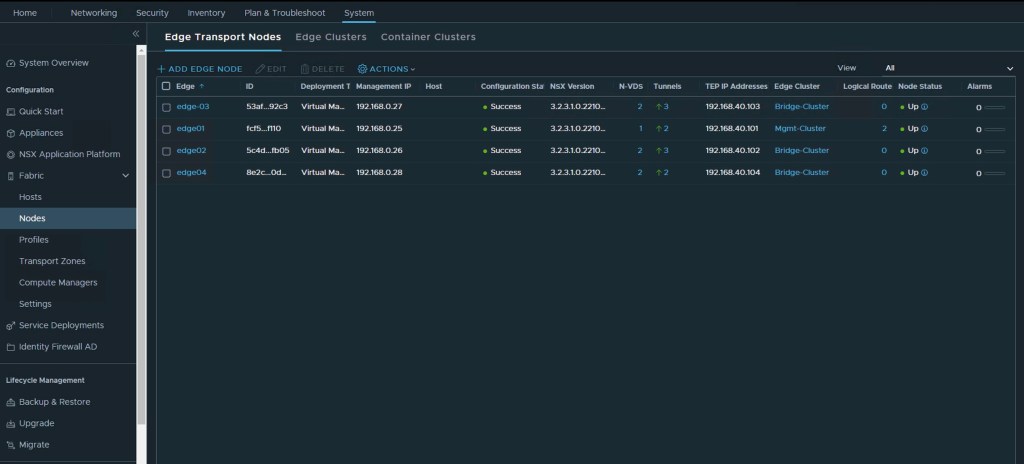
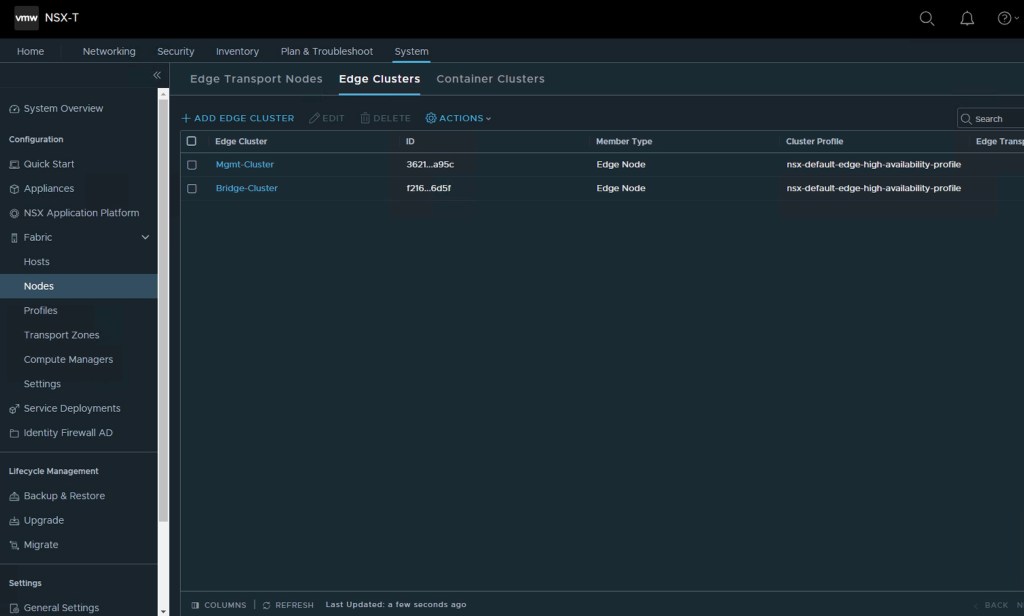
We have also deployed two NSX-T Edge clusters, one for creating a Tier-0 gateway and another one for L2 bridge. Four NSX-T edges have been deployed, one for creating a Tier-0 gateway and remaining three for creating a bridge cluster (Tool needs minimum three edges for L2 Bridge).
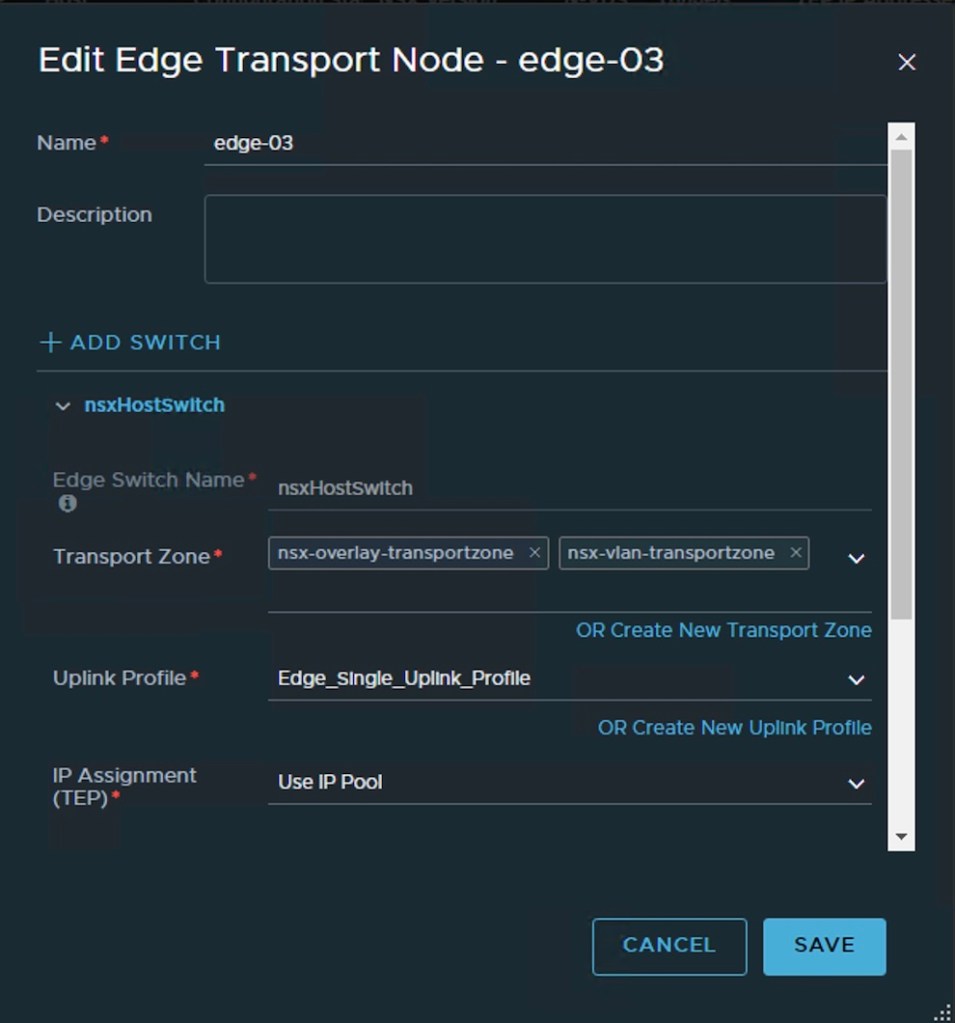
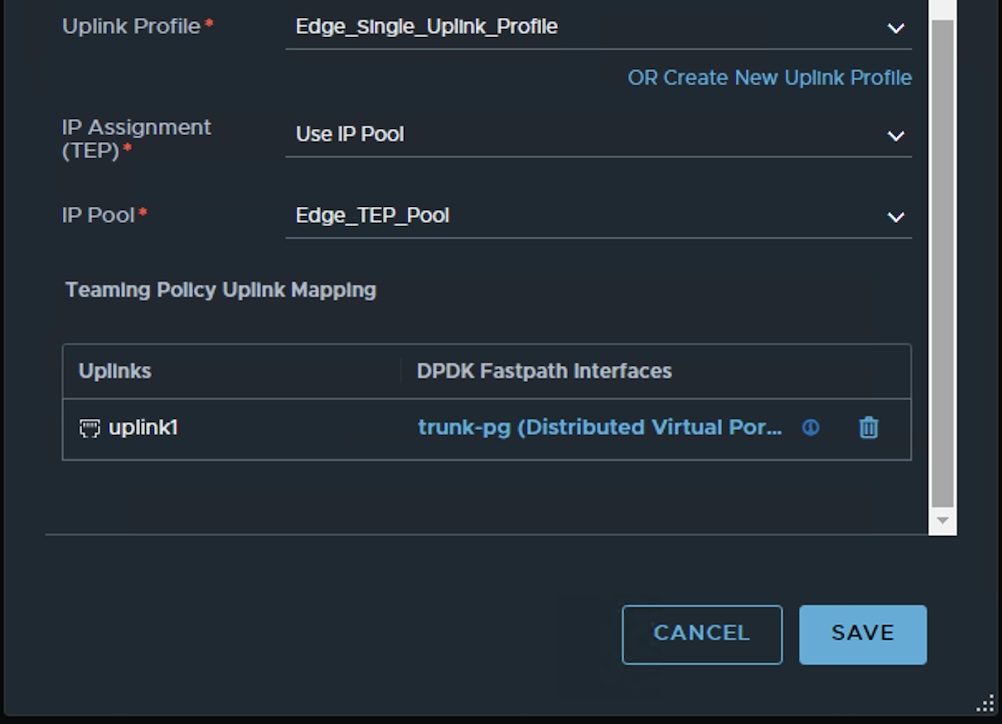
Bridge edges are configured only with single nVDS as tool will create second nVDS, bridge transport zone, and a bridge uplink profile by itself.
NB: Tool will also change the MAC address of Tier-1 gateway via API during the migration stage. We will discuss about it in the later parts of the series.
In the below step, lets validate the existing edge clusters. Both the edge clusters are using default high availability profile.
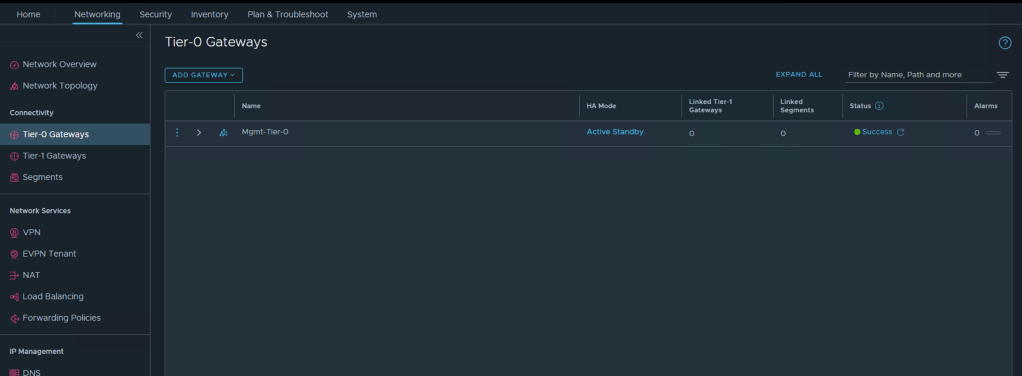
We have to check only the creation of Tier-0 along with it we need to verify interface , BGP configuration, and route redistribution on it. One “Mgmt-Tier-0 ” has been created in “Active-Standby” mode.
In order to enable the BGP, vlan-50 has been assigned on the Physical router to connect Tier-0 gateway. In the below step, we will create interface on the Tier-0 gateway on vlan-50. Uplink-1 logical segment has been created in the NSX-T for vlan-50 using default vlan transport zone.

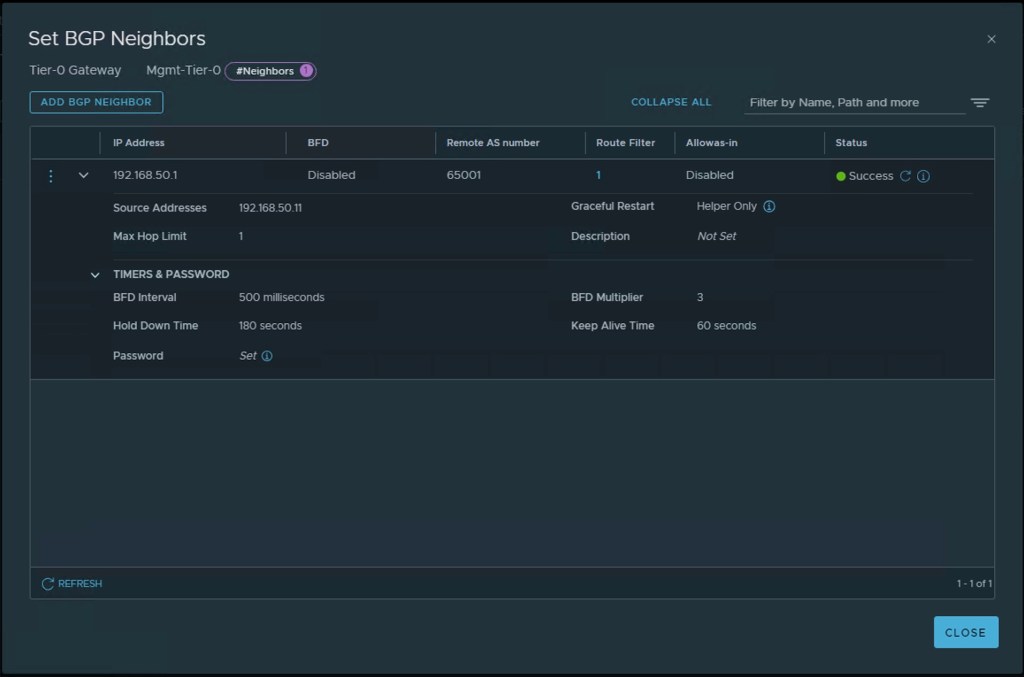
We have also configured the BGP on vlan 50 interfaces and enabled the route redistribution . Let’s validate it in the below step.

Tier-0 gateway is configured with local AS of “65010” and its IP address is “192.168.50.11“. This is the lab environment therefore we have deployed only single NSX-T edge in the cluster used for creating Tier-0 gateway. Physical router is configured on with AS number –65001 and IP address “192.168.50.1“.
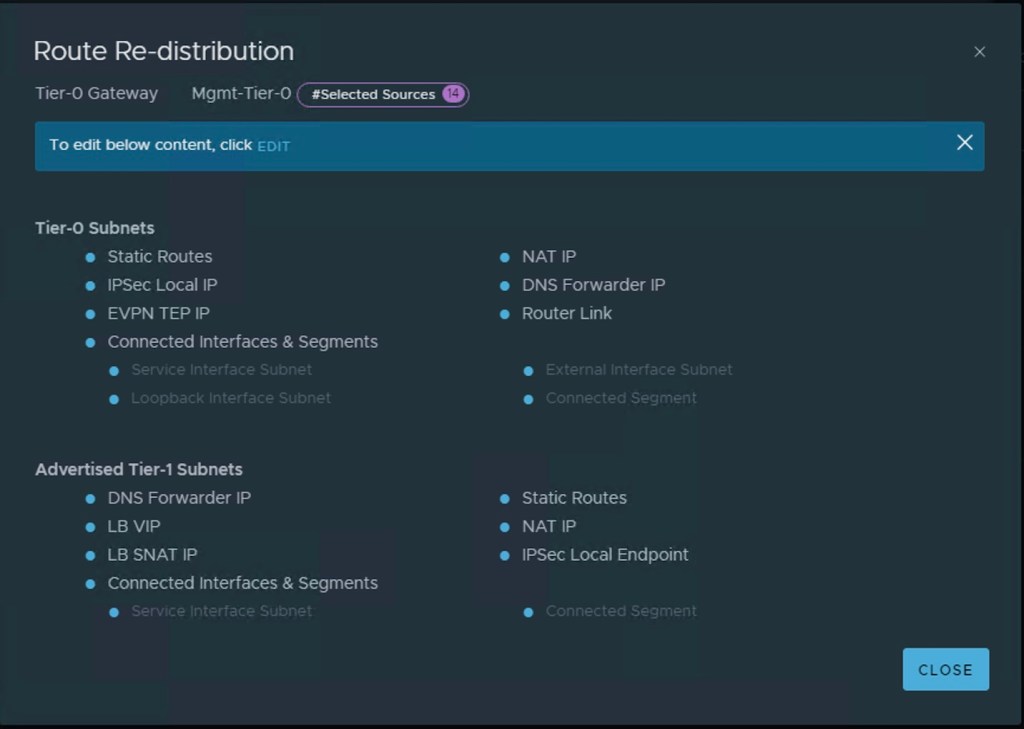
Last thing we need to validate on the NSX-T is to validate the route redistribution on the “Mgmt-Tier-0” gateway.
In the above steps, we have covered all necessary requirements in the NSX-T. Let’s proceed further, we will create one resource pool on the destination vSphere environment prepared prepared for the NSX-T consumption(Networking and Security).
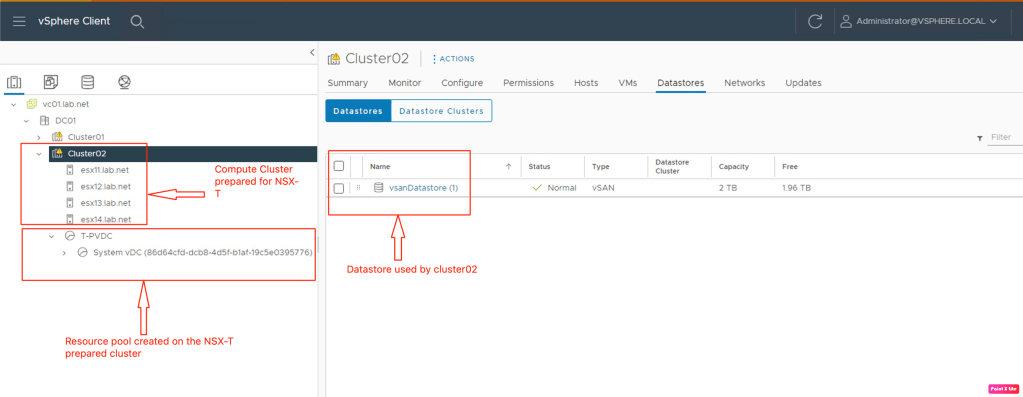
Cluster02 has four hosts with vSAN datastore. Resource pool “T-PVDC” has been created for vCD. We will create a provide vDC using this resource pool.
Need to create one dummy distributed port-group used by the ESG during N/S service cutover on the NSX-V prepared cluster. This step will be performed by the migration tool.
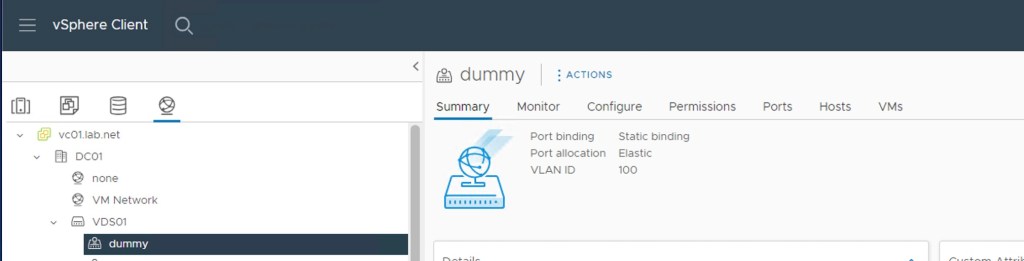
Now it is the right time to validate everything in the vCD. Let’s start with the Provide vDC created using the resource pool configured in the vCenter.

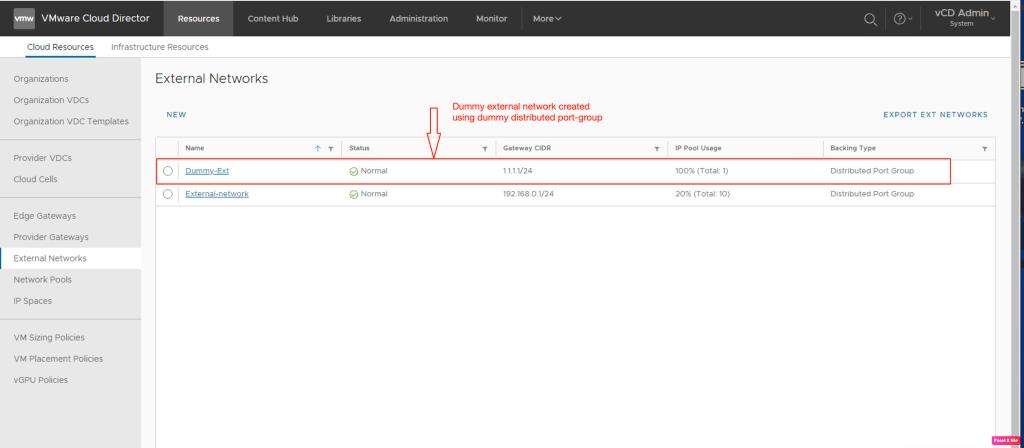
Now, lets validate the dummy network created in the vDC by importing the above dummy distributed port-group.
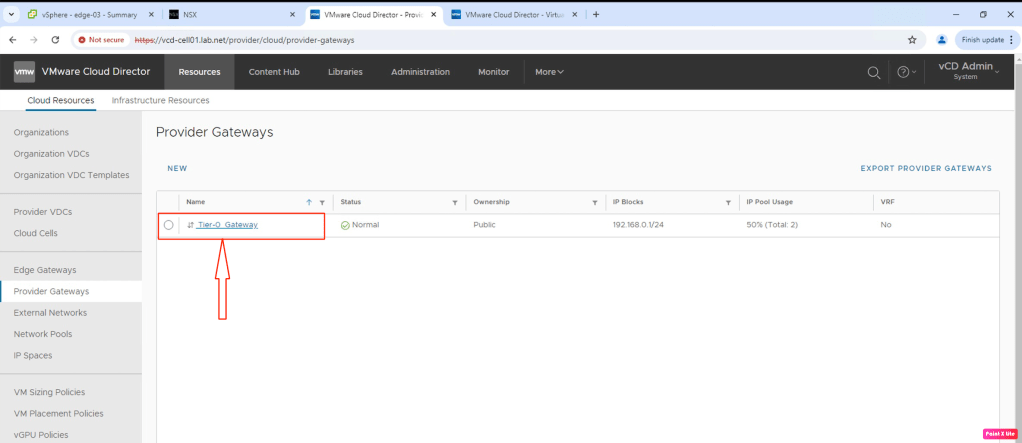
In the final step, lets import the “Mgmt-Tier-0” gateway in the vCD primary cell as a “Tier-0 Gateway“. This provider gateway will provide N/S communication to the Org vDC by connecting respective Tier-1 gateways to it.
Now we need to download the migration tool from the Github and start planning the migration.
“https://github.com/Calsoft-Pvt-Ltd/NSX_V2T_Migration_Tool“
Summary:
In this blog, we have successfully completed the pre-requisites like preparing the cluster for NSX-T, creating edges for Tier-0 and L2 bridge, creating the Tier-0 gateway and configuring BGP, route redistribution, In the vCenter, we have configured a resource pool on the NSX-T prepared cluster and one dummy network on the NSX-V prepared cluster. At last we have imported all the vCenter and the NSX-T objects in the vCD like Provider gateway, External network, and Provider vDC. All these configuration are essential before planning the migration. In the next part, we will perform different stages of the migration and observe the changes in the NSX-T, vCenter and on the vCD. We will also perform the clean-up to free up the resources at the source data center.


 vxlearners
Leave a comment