
Introduction
In this blog, we will discuss the extension of layer-2 from on premises (legacy DC) to new data centers either on cloud like AVS, VMC on AWS, GCVE, OCVMS, and on new premises DC based on NSX-T. This solution is very useful incase, VMs need to be migrated from old DC to new DC, and their IP addresses has to be retained. After the migration of VM to new DC, then through L2VPN, VM can reach to the default gateway using L2VPN. After the migration, gateway has to be disconnected from old side and network has to be advertised from the new DC.
Diagram
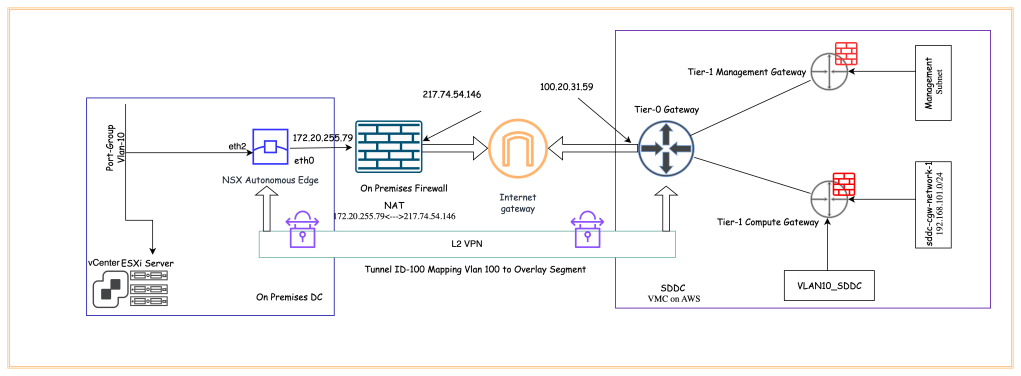
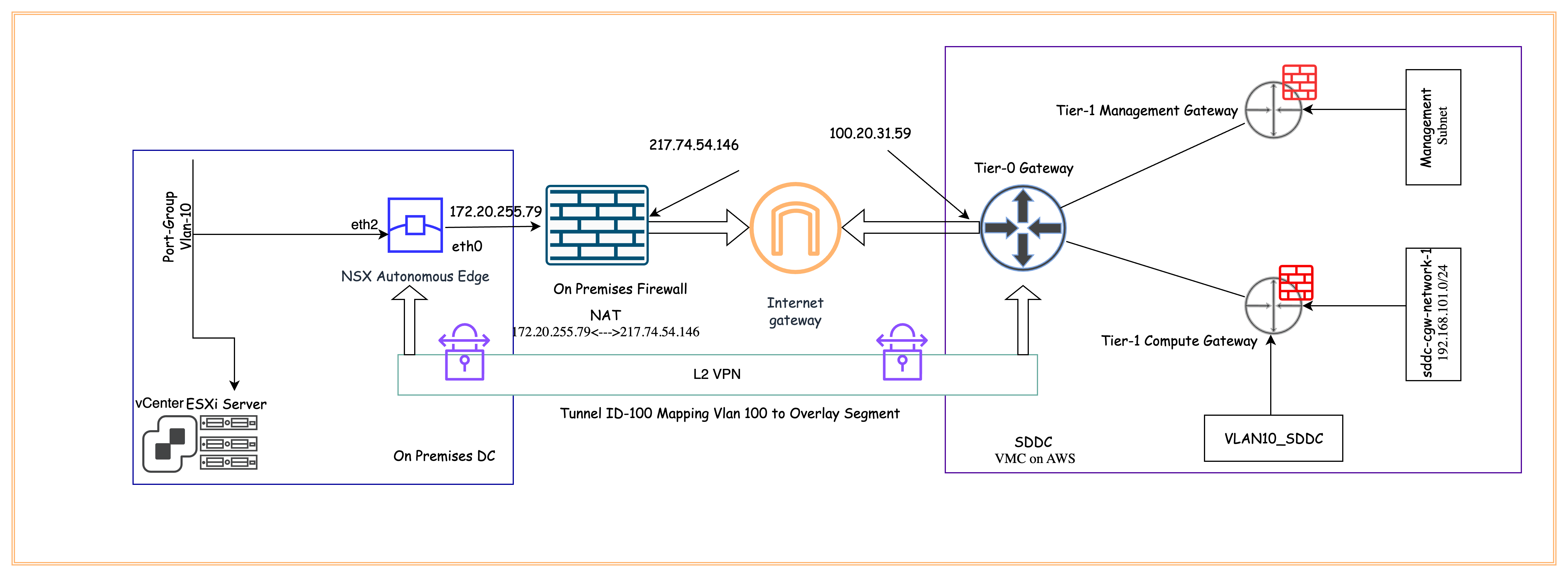
In our environment, NSX-T is already deployed on VMC on AWS. Management and Compute Tier-1 gateways are already deployed. NSX autonomous edge is already deployed in the legacy DC. Outside IP address of NSX autonomous edge is NATed to public IP address on the on -premises firewall. Another interface of the NSX autonomous edge is connected to the distributed port group, which has to be extended to VMC on AWS. We will extend existing Port-Group (Vlan-10) to logical segments in NSX-T on VMC on AWS.
Pre-requisites
Below are the perquisites in order to configure L2VPN between legacy on-premises datacenter and new datacenter.
—- SDDC is already deployed on VMC on AWS and necessary firewall rules must be opened to access NSX-T and vCenter from the internet.
—- One Public IP must be allocated from AWS to allow configure L2VPN over the internet.
—- NSX autonomous edge must be deployed on legacy DC. Its WAN IP address can be either on public IP address or on private IP address. If it is on private IP address, make sure to configure NAT on the old DC internet firewalls.
—- Necessary ports (UDP-500, UDP-4500, ESP) must be open on the customer firewall to allow IPsec phase-1 and 2 negotiation.
—- LAN interface must be configure on NSX autonomous edge, it can be either trunk or access interface.
Configuration
In section of the blog, we will configure L2 VPN between old legacy datacenter and VMC on AWS.
In the first step, we will request to get the public IP address from the AWS. In order to request an IP address, login to NSX-T manager, and navigate to Networking > Cloud Services > Public IPs
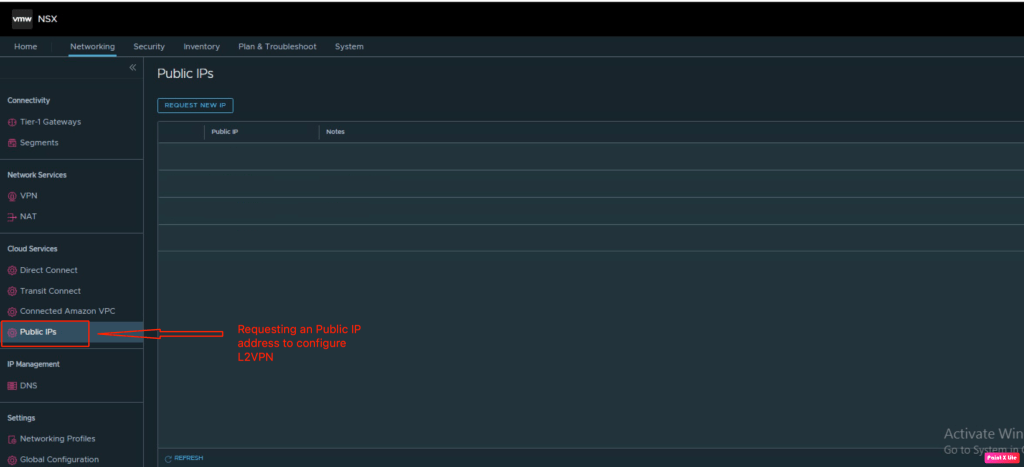
In order to configure a L2VPN, a public IP address has been assigned from AWS (Public IP address -100.20.31.59)
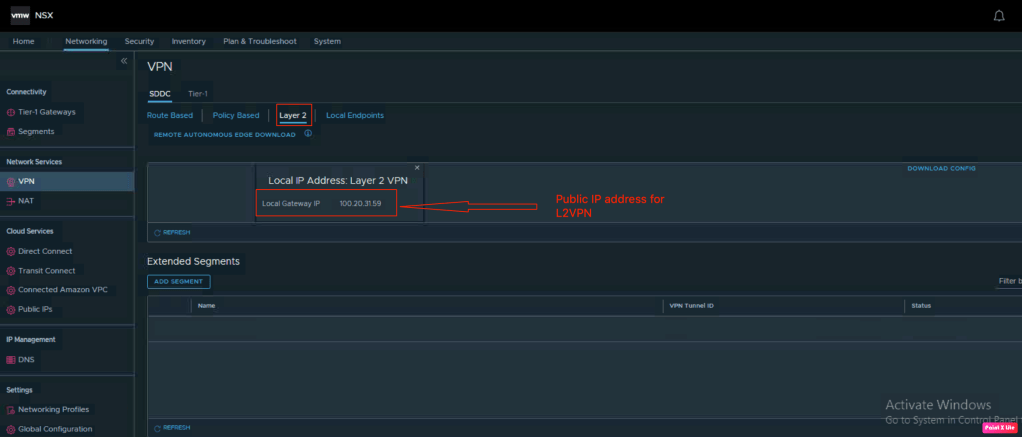
Now, lets configure L2VPN on NSX-T in VMC on AWS. In order to configure L2VPN, navigate t0 Networking > Network Services > VPN, and then click on L2VPN.
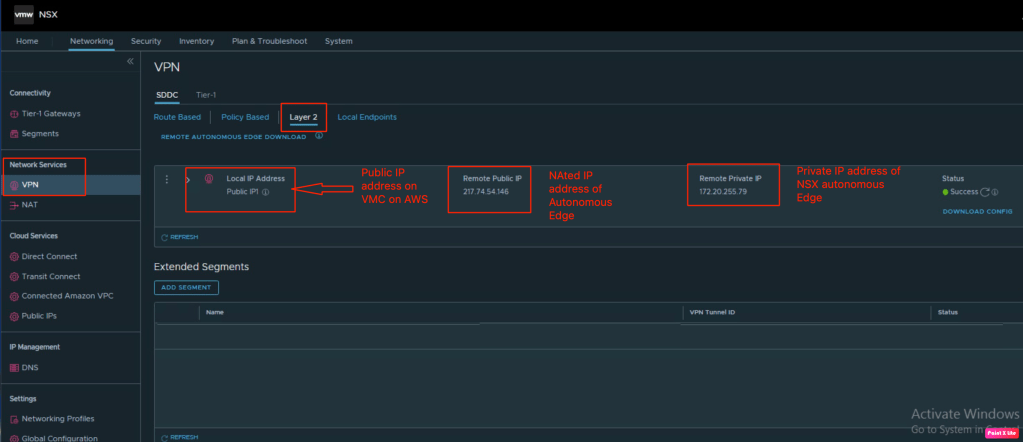
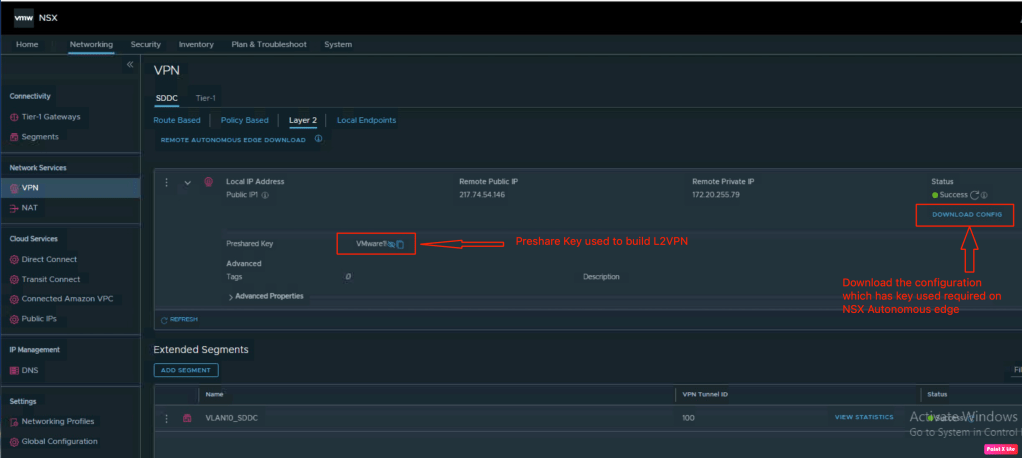
Let’s verify the PSK (pre-shared key) used on both side to build the L2VPN tunnel. we have to download the configuration, this configuration has the peer key required on NSX autonomous edge.
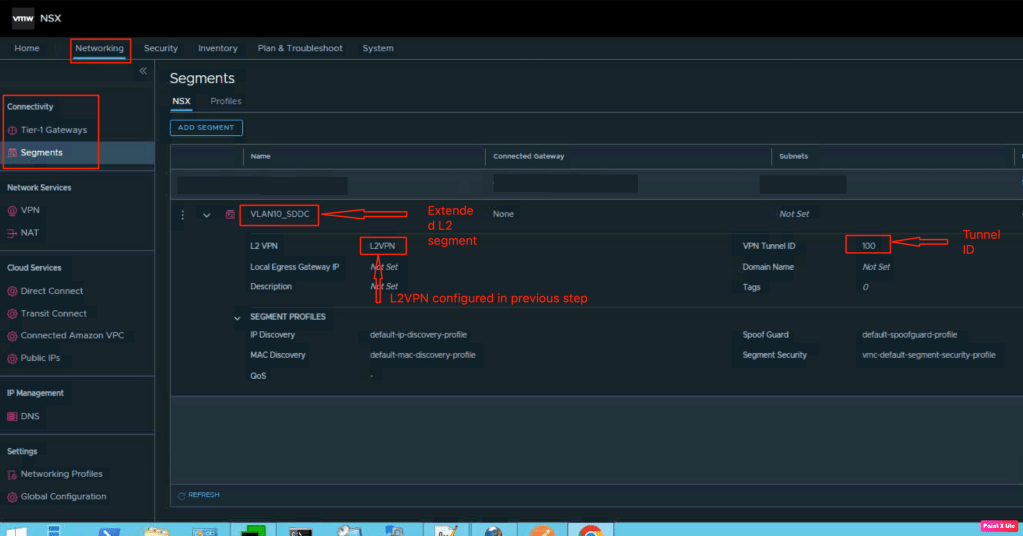
Let’s create a segment and associate it with the L2VPN. In order to configure segment, navigate to Networking > Connectivity > Segments > Add segment. In this segment, we have associate it with the L2VPN configured in the previous step. It has been mapped to Tunnel ID “100”.
In the next step, we will open the configuration downloaded in the pervious step. From this file, we will copy the peer code which is needed on the NSX Autonomous edge.

Let’s login into the NSX autonomous edge and verify the status of it.
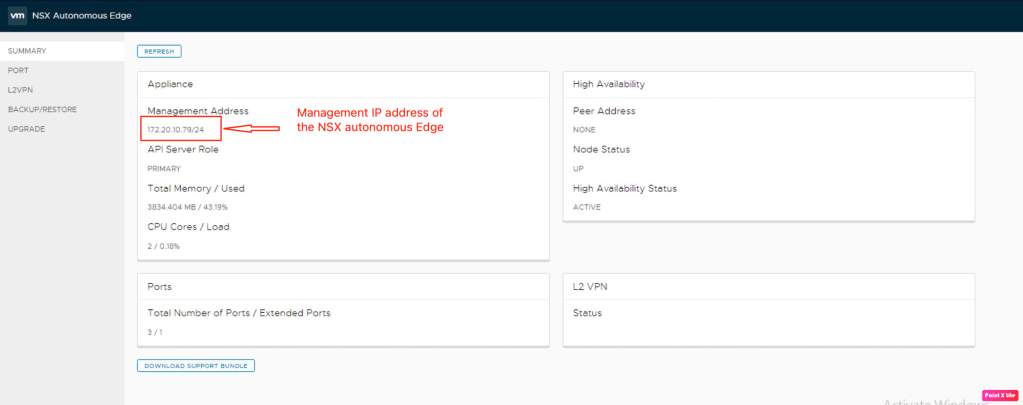
In the next step, we will validate the existing interfaces on NSX autonomous edge. Below are the details:
| WAN Interface/IP address | eth1/172.20.255.79/241 |
| LAN interface/Name | eth2/Vlan_10 |
In this step, we will verify the existing ports on NSX autonomous edge.

In the final step, we will configure the L2VPN on NSX autonomous edge. In this step, we need peer code which we copied in earlier step.
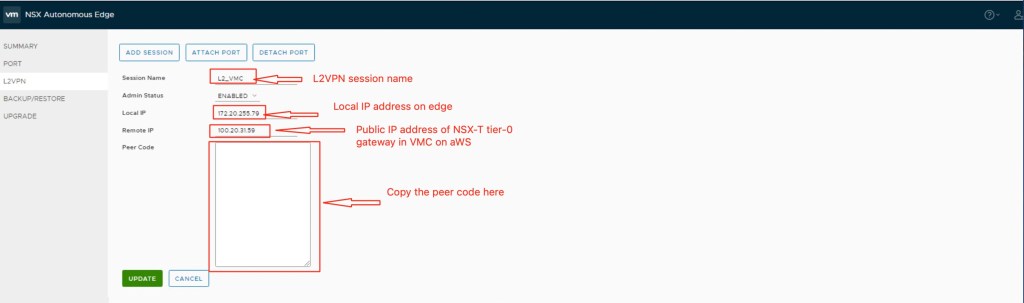
We have completed all necessary steps required configure L2VPN between legacy datacenter and VMC on AWS.
Verification
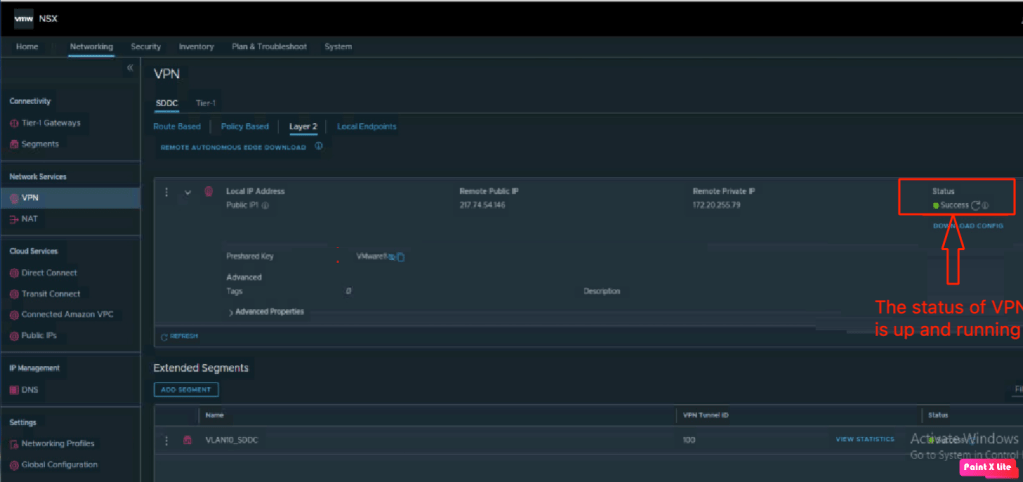
In this step, we will validate the status of L2VPN on both VMC on AWS and NSX autonomous edge.
Let’s login into the NSX autonomous edge and validate the status.

To validate on the VMC on AWS, lets login into the NSX-T manager, and navigate to “Networking > Network Services > VPN >L2VPN“.
In Summary:
In this blog, we have successfully L2VPN between legacy datacenter and VMC on AWS. This kind of solution is very useful when we need to migrate the VM’s from on-premises to cloud. The same approach of migrating VMs can be used if we have AVS, GCVE, OCVMS, and on new premises DC based on NSX-T at the destination datacenter.


 vxlearners
Leave a comment