

Introduction
In this blog, we will configure Tier-0 gateway as active-standby and leverage the HA VIP to configure static routing and VIP address on it using terraform. We have already discussed about terraform couple of times. Please refer below blogs, in which we already showcased configuration of NSX-T logical constructs using terraform (https://vxlearners.com/2023/09/08/infrastructure-as-a-code-automating-nsx-t-via-terraform/)
Read more: Infrastructure as a Code- Configuring Tier-0 Gateway HA VIP using TerraformTopology Diagram
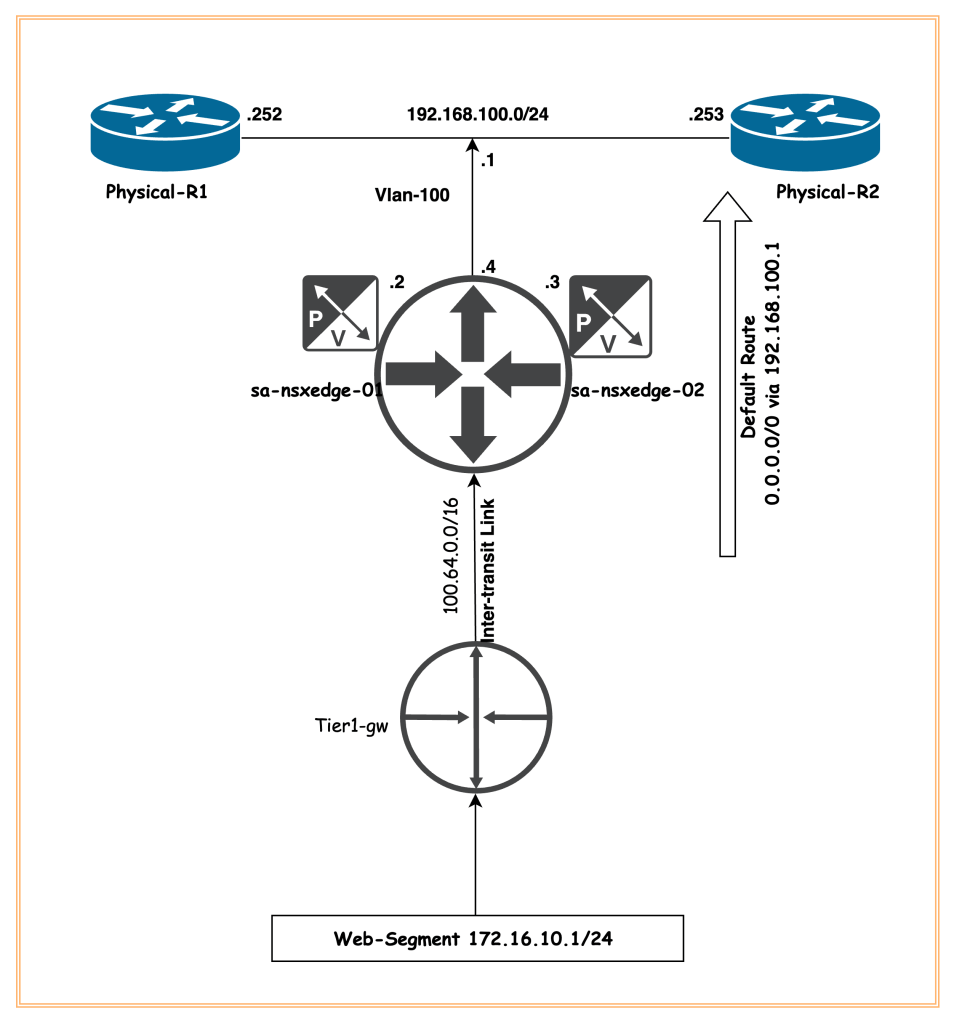
In our environment, we had already deployed NSX-T (single controller), a single edge cluster, vlan transport zone, and overlay transport zone. Using the terraform, we will create one vlan logical segment required to create uplink interfaces on edges. We will also create a static route on the Tier-0 gateway to direct all traffic to physical routers on HSRP/VRRP IP address of Router-1/2. Along with it, a new Tier-1 gateway and a logical segment will be configured and connected to parent Tier-0 gateway. Any other configuration work is out of scope of this article.
Pre-requisites
Below are the perquisites in order to configure NSX-T Tier-0 gateway HA VIP using terraform.
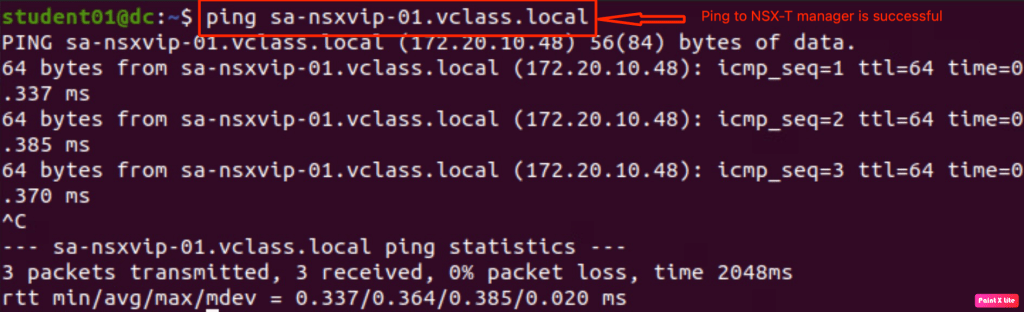
- Linux/Ubuntu Server is able to reach NSX-T manager on port 443. In below step, we have validated that the deployed server is able to reach NSX-T manager on both ICMP and HTTPS.
- Terraform must be installed on the Linux machine or Windows machine. In the below image, terraform version is v1.8.0

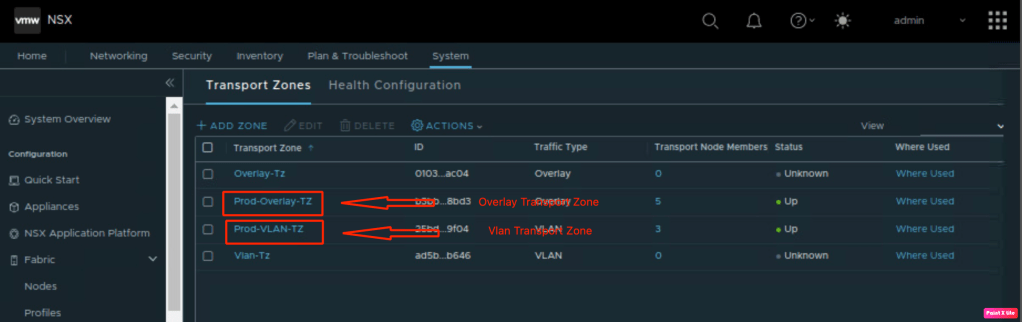
- Vlan and Overlay transport zones have been configured in NSX-T and ESXi hosts must be prepared for NSX-T consumption.
- An Edge Cluster is already deployed and ready for consumption. Let’s confirm edges required to create Tier-0 gateway.
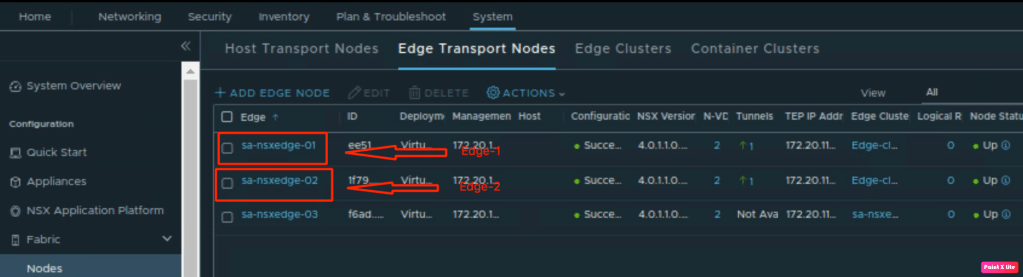
We have created one edge cluster using these edges.
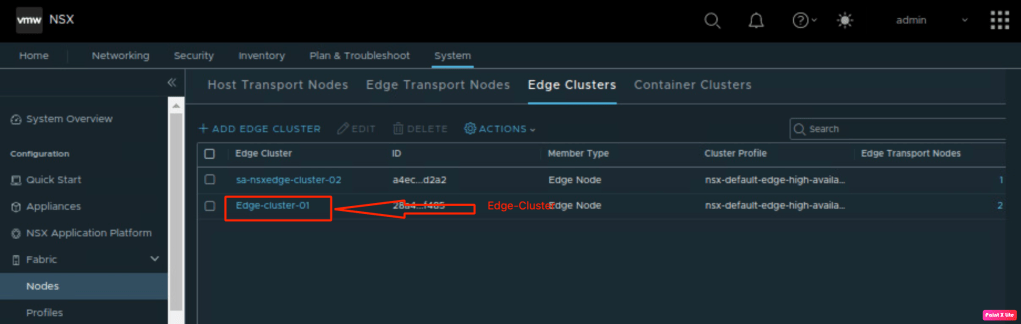
In the above steps, we validated all the prerequisites to proceed with our deployment.
Configuration NSX-T logical constructs via Terraform
In this step, we will create all necessary files required to run terraform on server on which terraform is installed. Below are the file names we will showcase in this document.
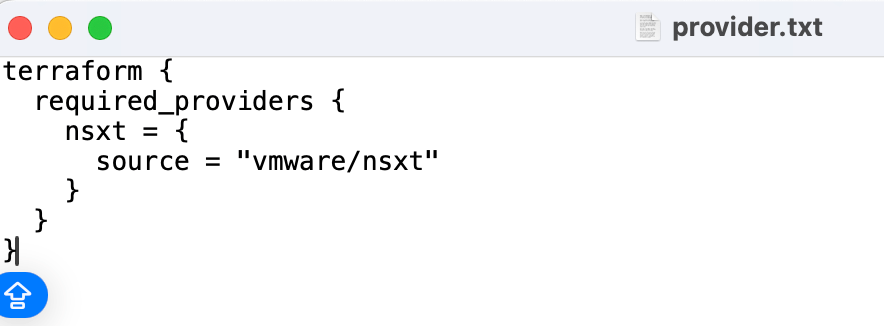
–> Provider.tf (this file will include all VMware providers like NSX-T, required for terraform to make changes.
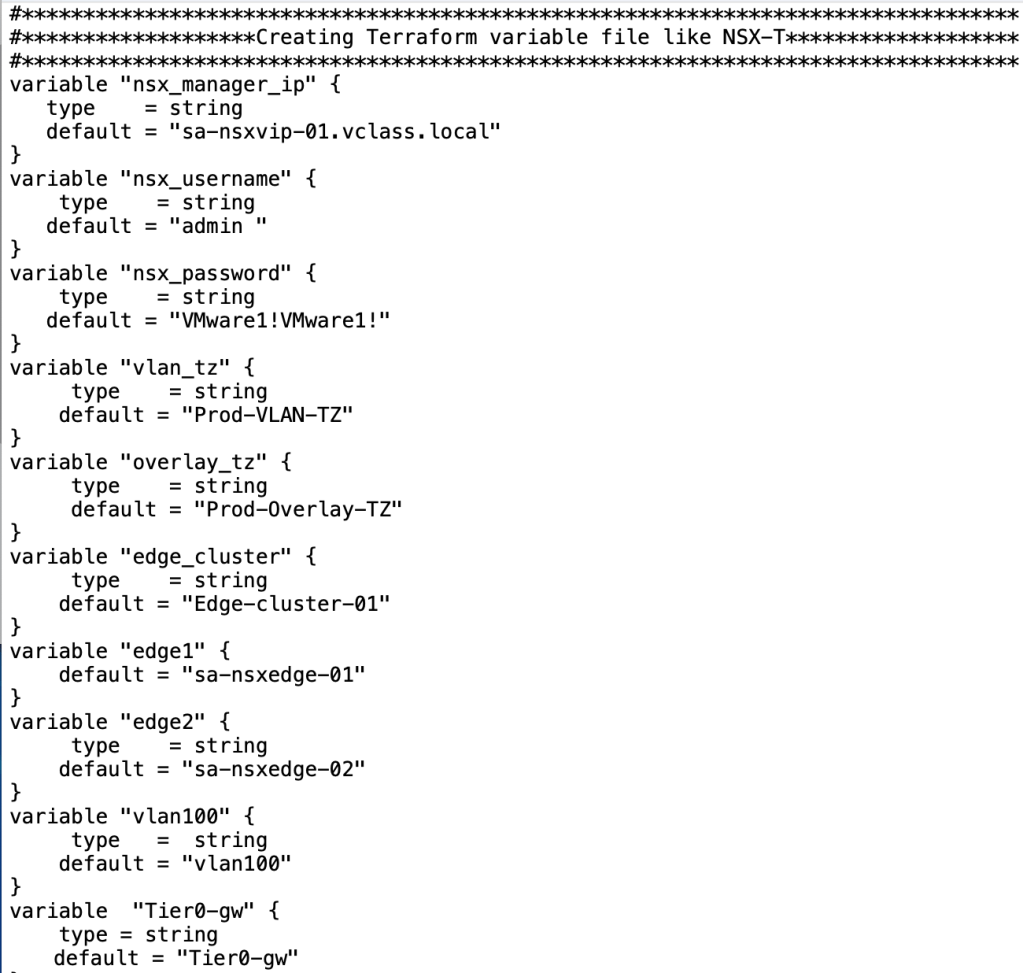
–> Variable.tf (this file include all the variable components required by main.tf like login credentials, name of transports zone, and so on.
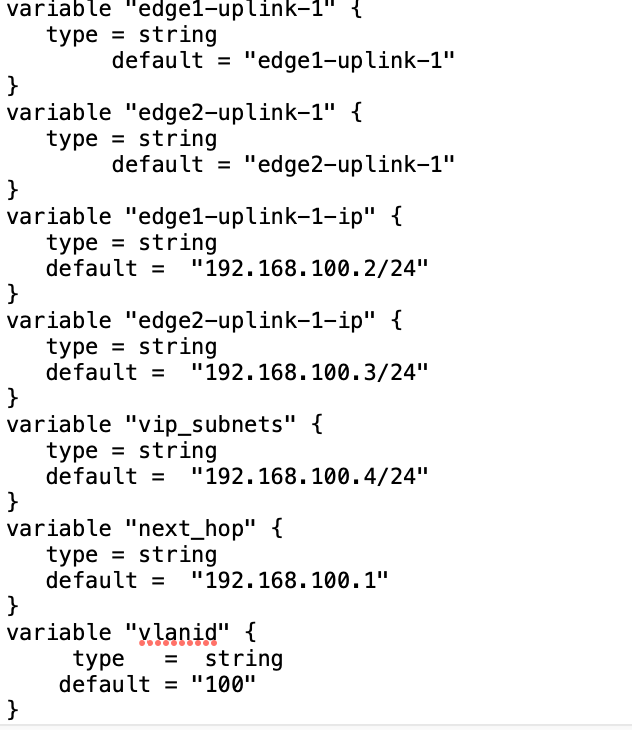
–> Main.tf – This is imperative terraform file that includes all the configuration to create necessary objects in the NSX-T environment. Any other terraform providers is out of the scope of this document.
We will demonstrate our main.tf file in multiple screenshots. In the first step, we will showcase the usage of existing NSX-T components in the file.
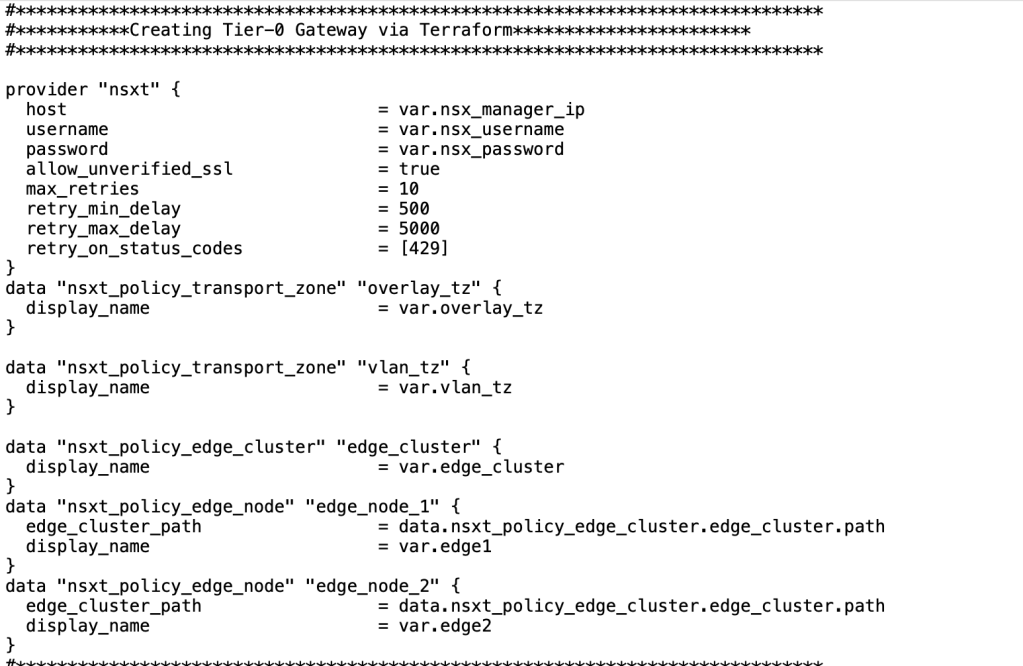
In the next step, we will configure one vlan segment which will be used to configure uplink interfaces on Tier-0 gw.
| Name of the Segment | vla |
| Transport Zone | Prod_VLAN_TZ |
| Vlan Id | “100” |
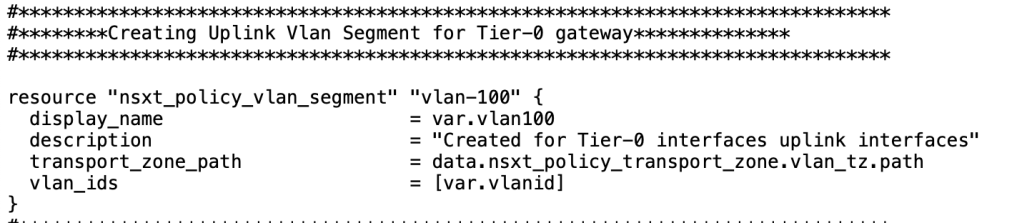
In the third step, we will provision a Tier-0 gateway which will be in Active-Standby Mode to leverage the functionality of HA VIP.
| Name of Tier-0 Gateway | |
| HA Mode | Active Standby |
| Edge Cluster | |
| Route Redistribution | Tier1_LB_VIP, TIER1_CONNECTED, TIER1_SERVICE_INTERFACE, TIER1_NAT, TIER1_LB_SNAT |
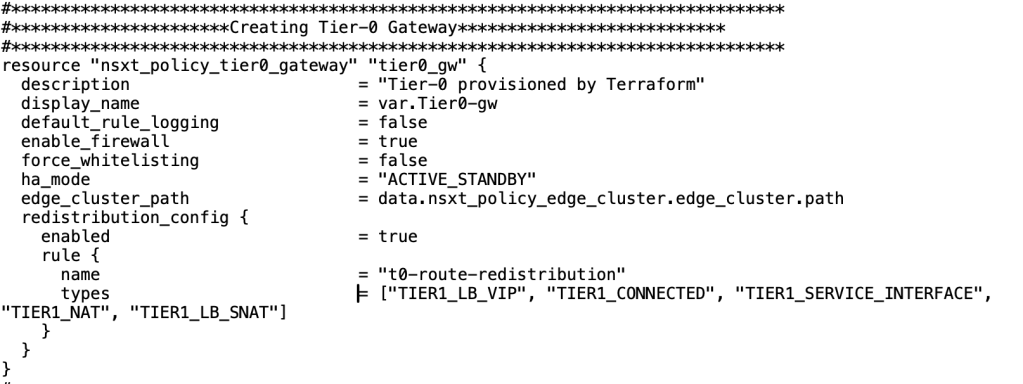
Now when Tier-0 Gateway is configured, we need to focus on creating uplink interfaces along with HA VIP IP address.
| Name of the Interfaces | edge1-uplink-1 | edge1-uplink-2 |
| Type of the Interface | External | External |
| Edges | sa-nsxedge-1 | sa-nsxedge-02 |
| IP address of the interfaces | 192.168.100. | 192.168.100.3/24 |
| Gateway | Tier0-gw | Tier0-gw |
| MTU | 1500 bytes | 1500 bytes |
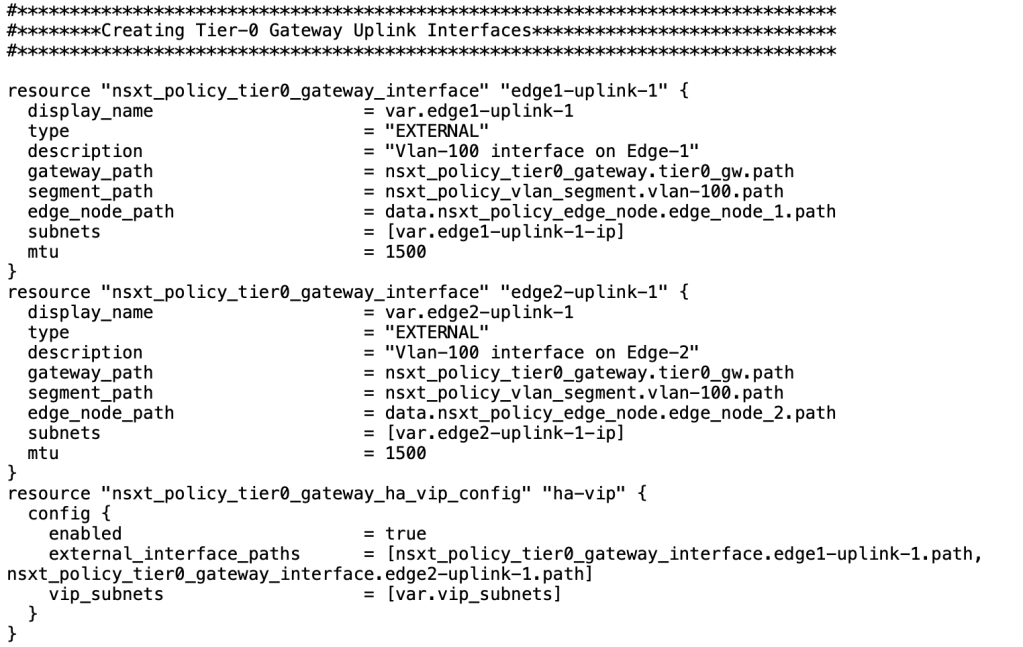
| HA_VIP IP address | “192.168.100.4” |
| Scope | edge1-uplink-1, edge1-uplink-2 |
Up till now we have built each and every piece of the puzzle. Now it is right time to break the ice and create static route on Tier-0 gateway to point all traffic to “HSRP/VRRP” IP address of Physical R1/R2.
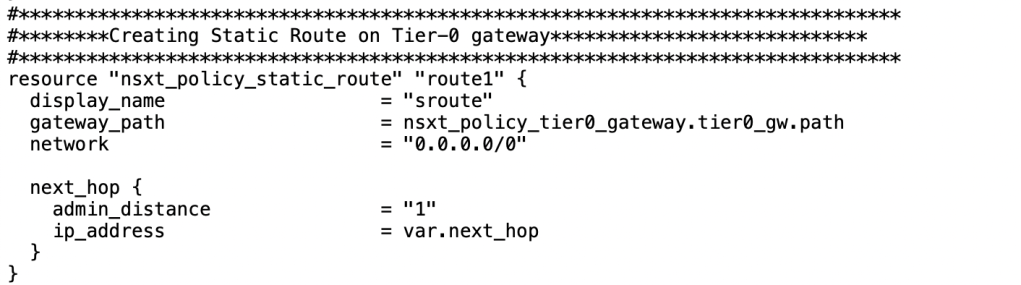
NB: Next_hop should be HSRP/VRRP IP address of your physical environment. In our case, it is “192.168.100.1”.
In case you want to create Tier-1 gateways and logical segment, please refer my first blog on Terraform (https://vxlearners.com/2023/09/08/infrastructure-as-a-code-automating-nsx-t-via-terraform/).
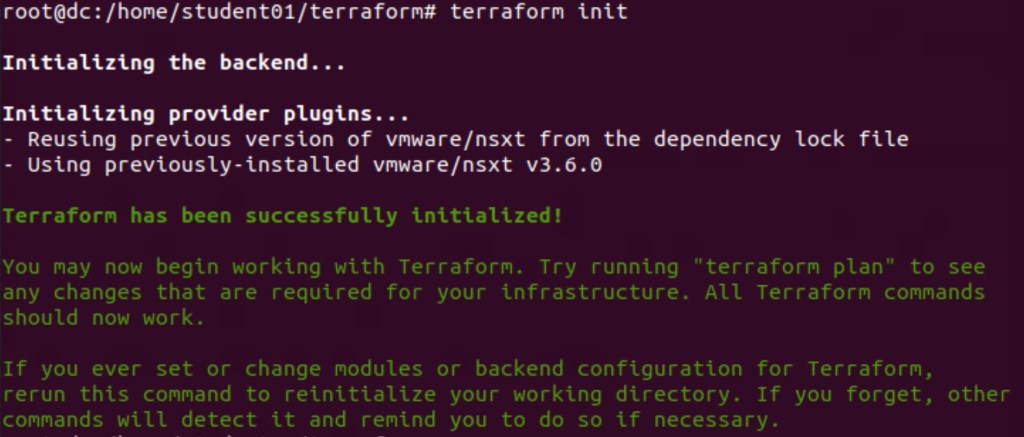
Now it is the time to initialise the terraform from the management PC (on which Terraform is installed). In below step, terraform is initialised successfully.
Now we will apply the terraform script so that it will configure all necessary logical constructs in the NSX-T Manager.

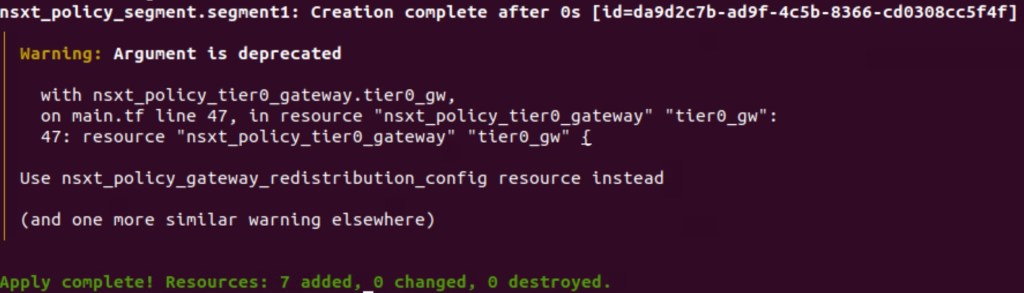
In above image, it is self-explanatory that seven resources have been added in the NSX-T Manager.
Validation
In this step, we will validate the creation of NSX-T logical constructs.
In this step, we will validate the creation of NSX-T logical constructs.
Firstly, we will validate the logical segment provisioned via the Terraform.
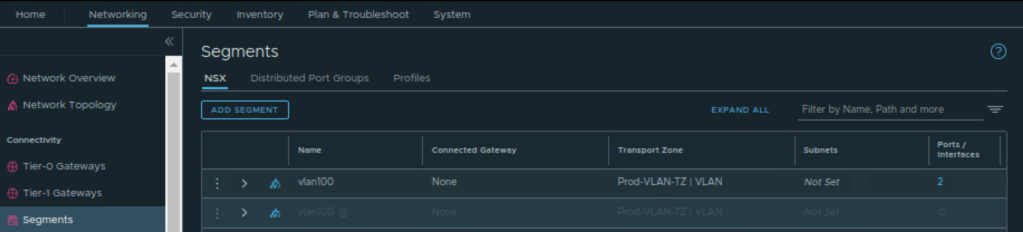
In the second step, we will validate the newly created Tier-0 Gateway which terraform has created.
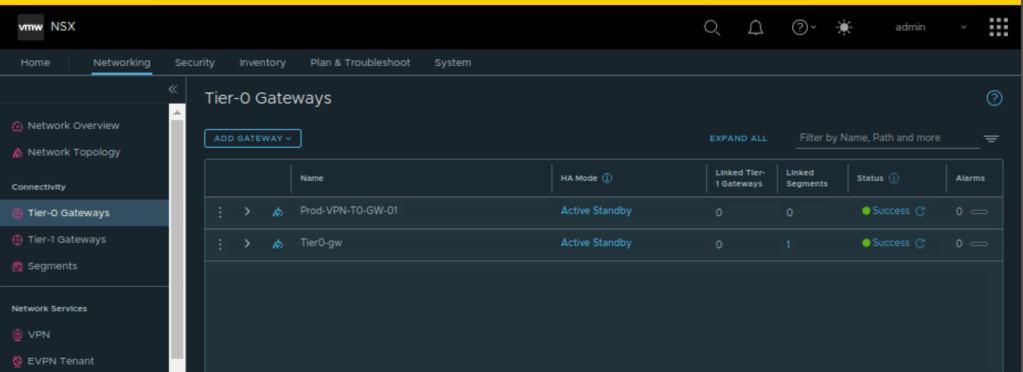
Now, lets validate the edge uplink interfaces which are provisioned on Tier-0 gateway.
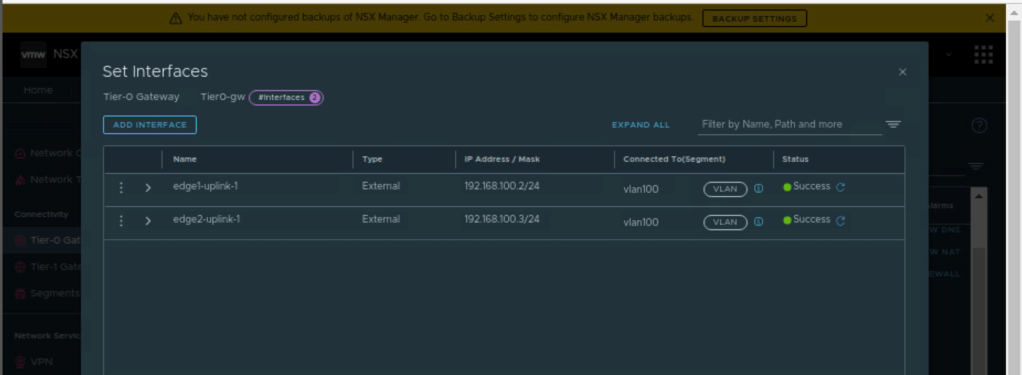
We have also created HA VIP address, lets validate it by clicking HA VIP on Tier-0 gateway.
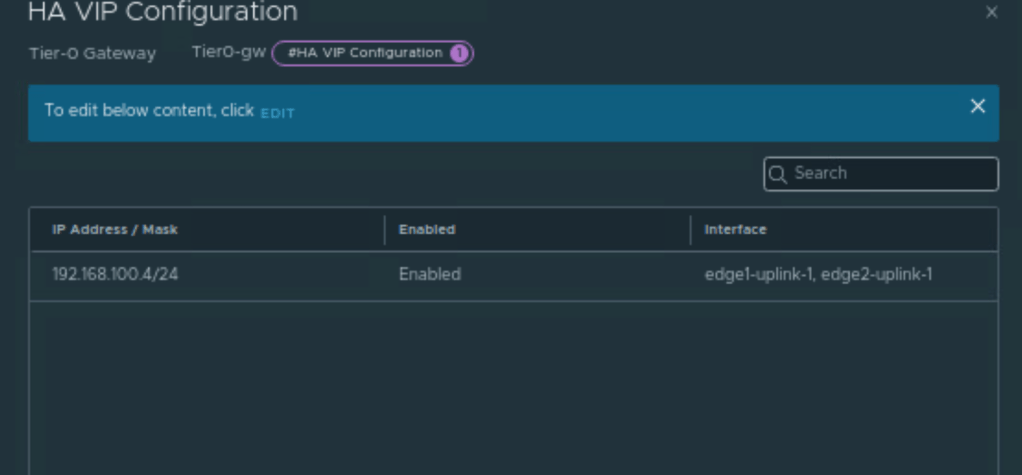
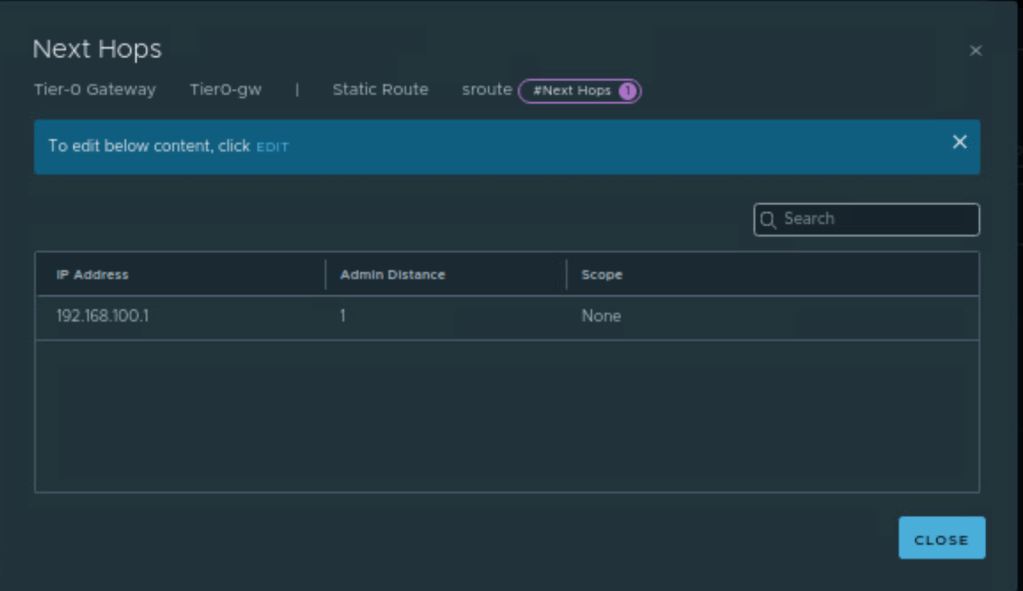
In the final step, we will validate the static route created by Terraform.
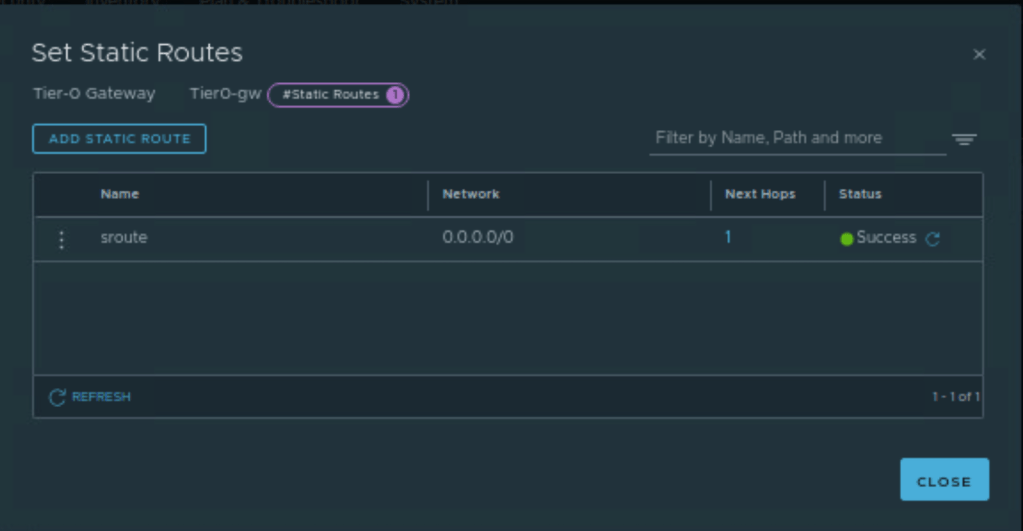
Let’s click on “1” and validate the next-hop IP address.
Additional Section
If we want to plan with terraform, it has inbuilt feature to destroy the resources by running “terraform destroy” to delete all NSX-T resources created by it using “Terraform apply”. In below step, lets validate it.
In the below screenshot, we are running terraform destroy to delete all NSX-T configuration configured by Terraform.

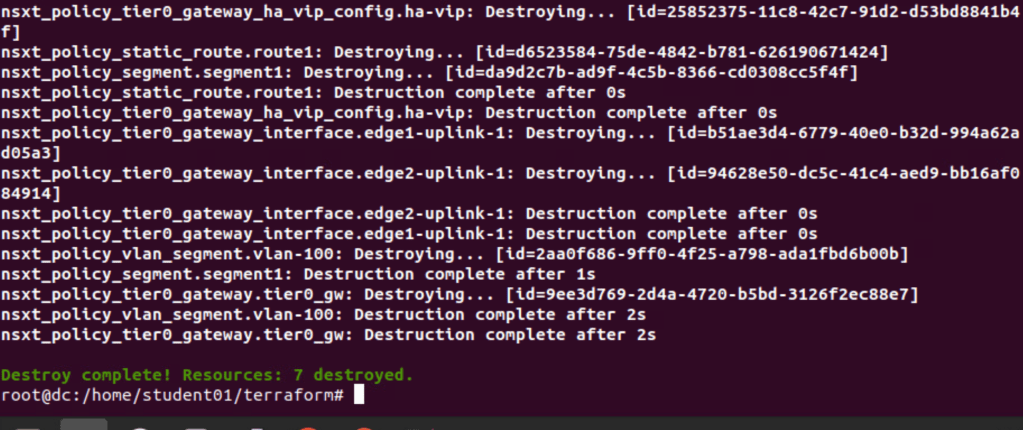
Seven resources have been deleted successfully.
In Summary:
In this blog, we have successfully deployed Tier-0 gateway along with its uplink interfaces. We have also configured Tier0 gateway HA VIP along with static route pointing towards VIP address of the physical infrastructure. We also configured vlan segment which is required to configure uplink interfaces on Tier-0 gateway.
I will also upload the terraform script used in this blog on the Github repository.


 vxlearners
Leave a comment