

In the first blog, we had successfully deployed NSX-T logical segments, Tier-1 gateway, and a DHCP server using terraform. We had also used existing Tier-0 gateway, edge cluster, transport zone. BGP is already configured between tier-0 gateway and upstream router. (https://vxlearners.com/2024/01/25/infrastructure-as-a-code-automating-integration-of-nsx-t-with-nsx-alb-via-terraform-part-1/).
In the last blog, we have successfully deployed NSX-T, vSphere user credentials, a NSX-T cloud connector, and a SE group used by the loud connector in the AVI controller using terraform (https://vxlearners.com/2024/02/15/infrastructure-as-a-code-automating-integration-of-nsx-t-with-nsx-alb-via-terraform-part-2/)
In this part of the blog, we will create a virtual VIP, a server pool, and a virtual services using terraform. We will also verify all the logical constructs AVI controller and NSX-T manager will deploy in the virtualised environment.
Topology Diagram
In our environment, we had already deployed NSX-T (single controller), NSX- ALB controller, and a single edge cluster. We had also configured a single tier-0 gateway using the configured edge cluster, which was connected to upstream routers via BGP. Using terraform three separate logical segments like AVI SE management segment, data segment, and one for LB SE VIP are created. Along with it, a new Tier-1 gateway are configured and connected to parent Tier-0 gateway. Any configuration work on vCenter is out of scope of this article. However, we will call its object using terraform like “Content Libraries”, datacenter, compute cluster, datastore, credentials, and so on.

Pre-Validation
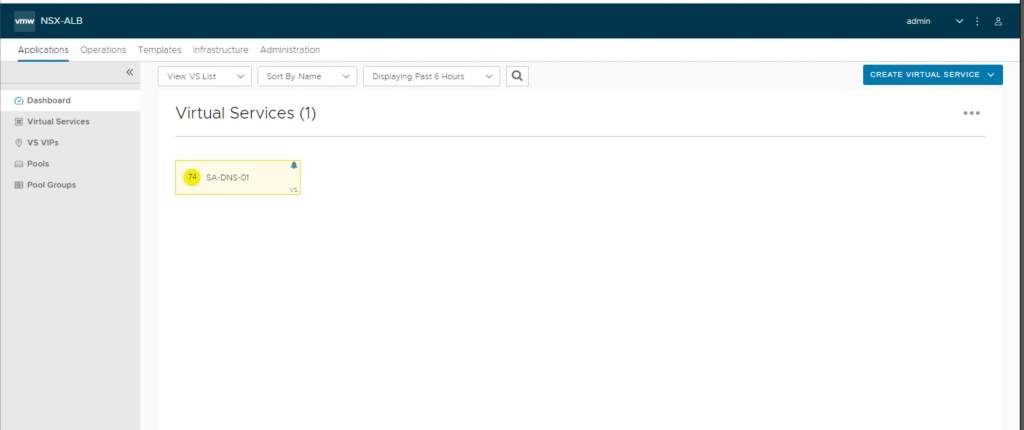
In our environment, only one virtual service has been provisioned which is configured for DNS only. We have also verified that in the application section, in the dashboard only one virtual service is configured. It is configured for “GSLB” (out of scope of this blog).
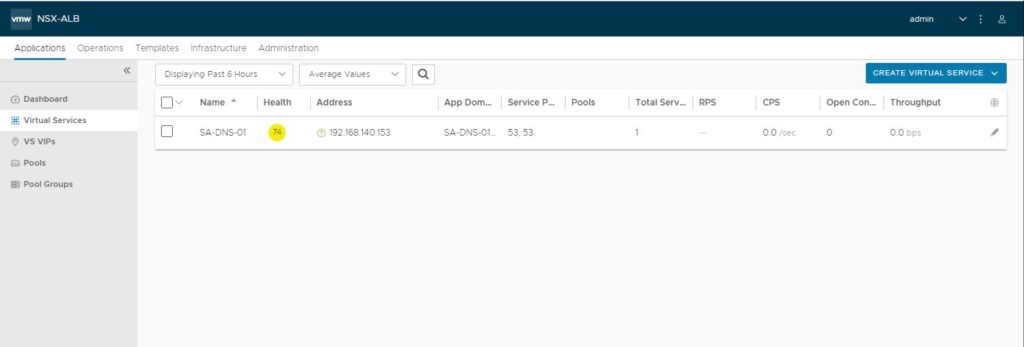
Now, we will also verify that only one virtual services has been configured for DNS.
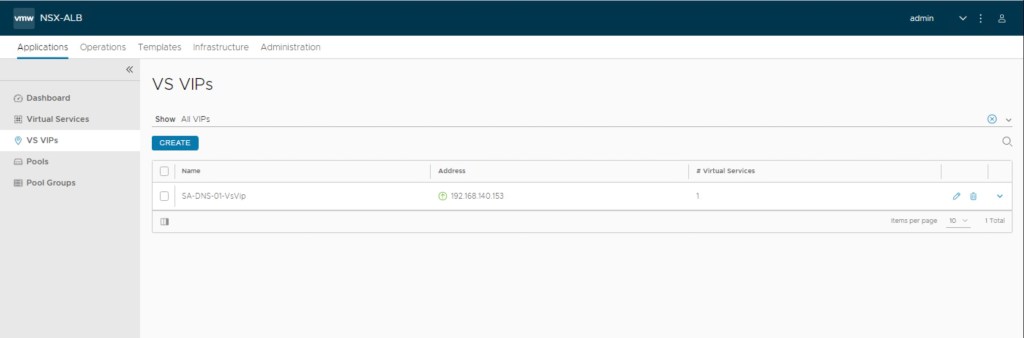
Now, we will also verify that only one VS VIPs has been configured for DNS.
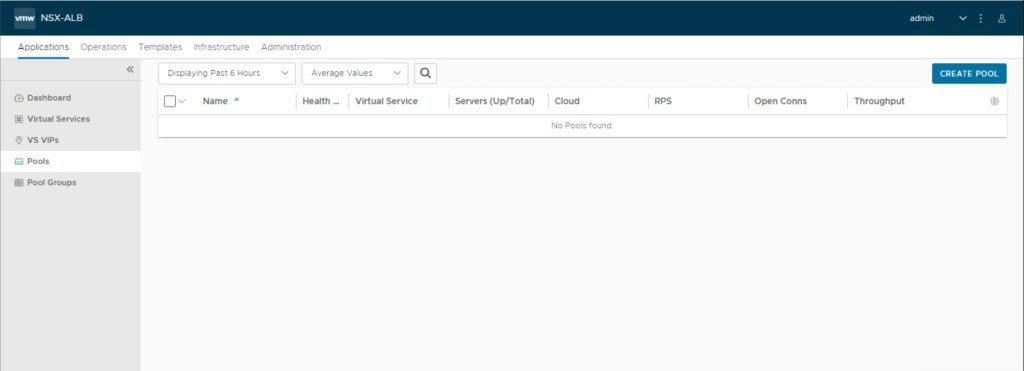
Lets validate existing pools on the AVI Controller and fortunately their is no pools configured on the controller.
In the last step, we had verified that there is no SE’s configured in the vCenter.
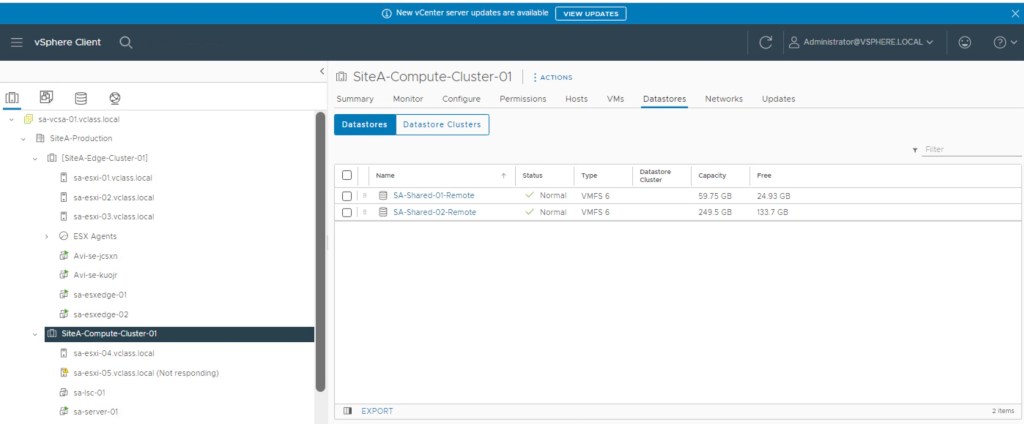
If you above image, we have SE’s are present in the Site-Edge-Cluster-01 which are are currently hosting DNS services (out of scope of this article).
Configuration Virtual Servers, VIP, and Sever pool via Terraform
In this step, we will update all perviously created terraform files like main.tf, variable.tf, and provider.tf to include configuration related to AVI load balancer. Please refer pervious blog (https://vxlearners.com/2024/01/25/infrastructure-as-a-code-automating-integration-of-nsx-t-with-nsx-alb-via-terraform-part-1/), and (https://vxlearners.com/2024/02/15/infrastructure-as-a-code-automating-integration-of-nsx-t-with-nsx-alb-via-terraform-part-2/) for more information.
–> Provider.tf:- No changes are required as this file already included required terraform provider details and its required versions.
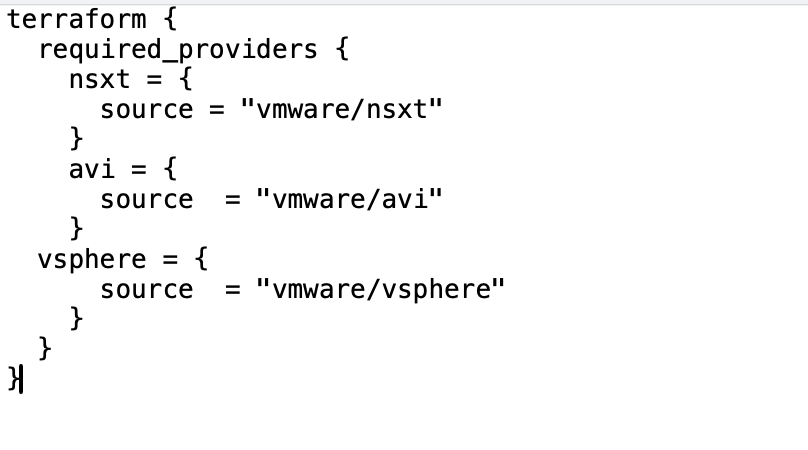
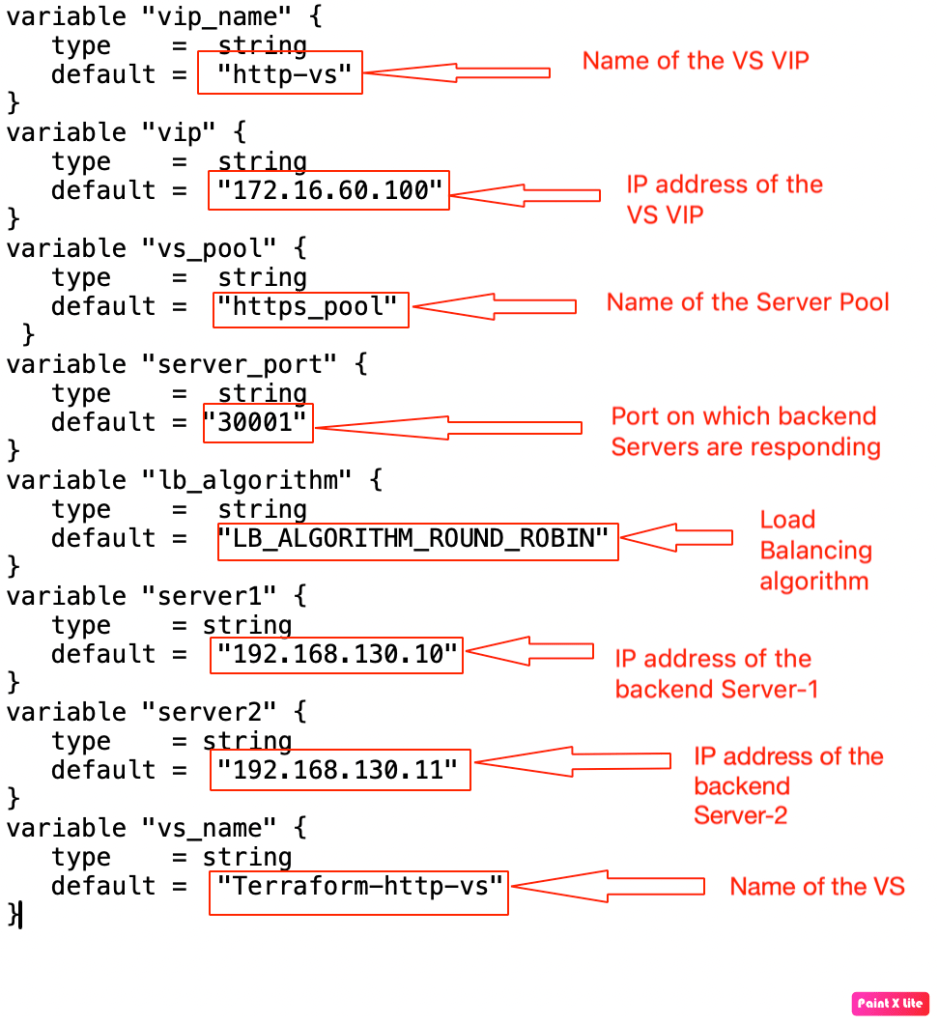
–> Variable.tf:- This file is updated to include components like AVI virtual services, VS VIP address, and Server pool details.
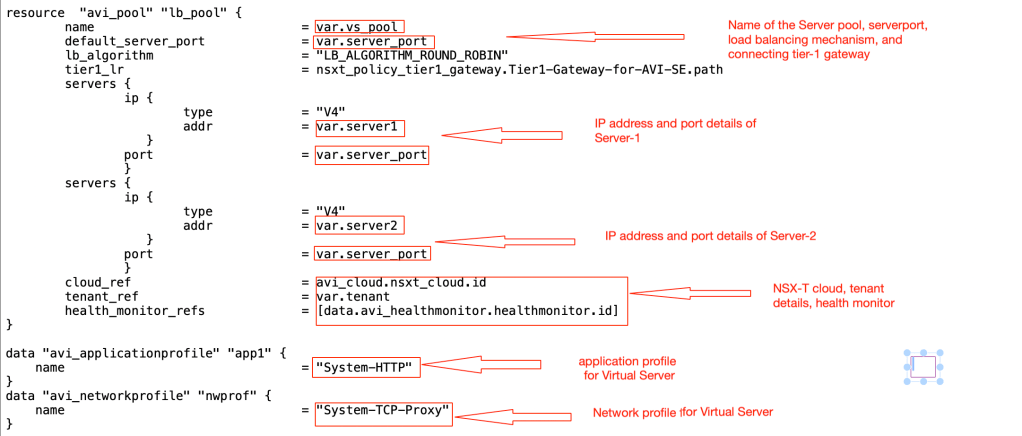
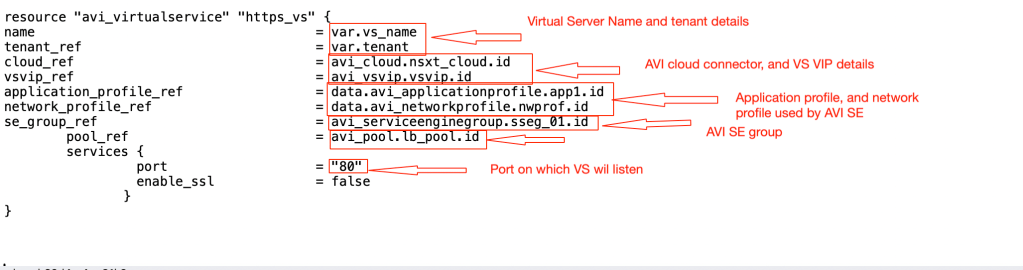
–> Main.tf:- We have updated perviously used file to include information about VS server pool, VS VIP address, and AVI virtual server.
In this step, we have included details about new VS VIP, terraform will create on the AVI controller. We have also recall the existing system-HTTP health monitor available in the AVI Controller.

In the next step, we will update the main.tf file to include details about server pool, virtual server VIP, and virtual server details.
Now, we have touch based all AVI logical constructs, it the time to keep our hands dirty and start configuring our first virtual services using terraform.
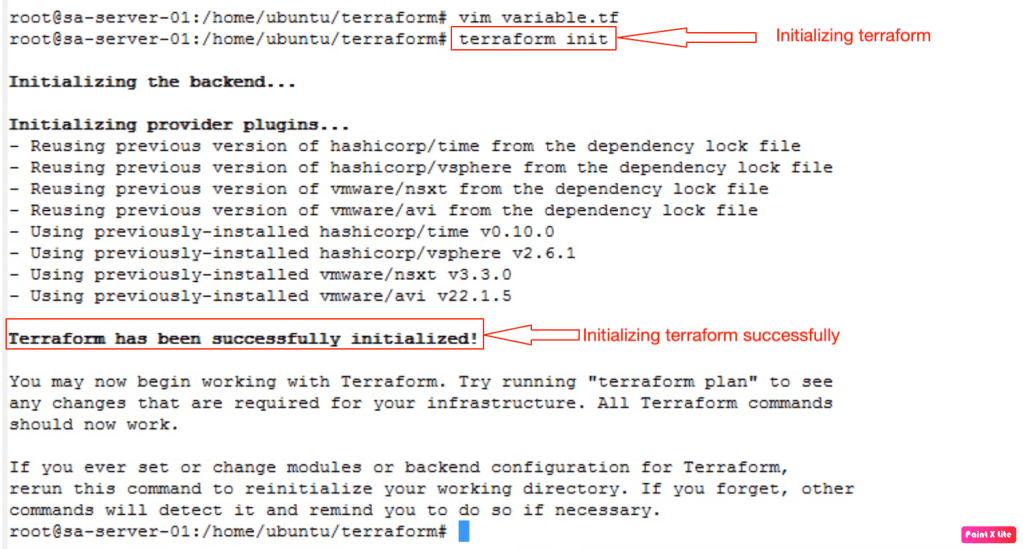
Now it is the time to initialise the terraform from the management PC to download latest versions of terraform providers (vSphere, NSX-T, AVI).
Now, we will run the terraform script, so that all necessary constructs will be configured on the AVI Controller.
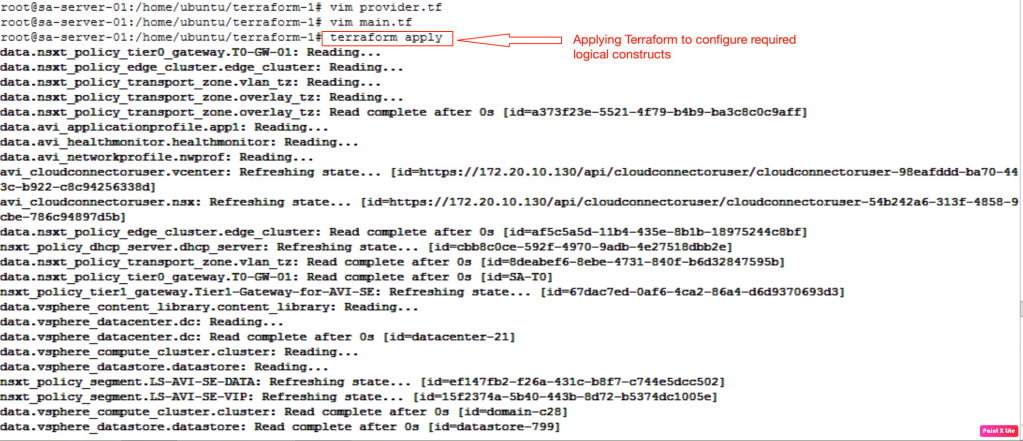

In the above screenshot, it is confirmed that terraform has successfully configured three logical constructs a server pool, virtual server VIP, and virtual server on the NSX-ALB
Validation
In this step, we will validate the creation of AVI logical constructs. Firstly, we will validate the creation of virtual services in the AVI load balancer.Navigate to Applications >Virtual Services.
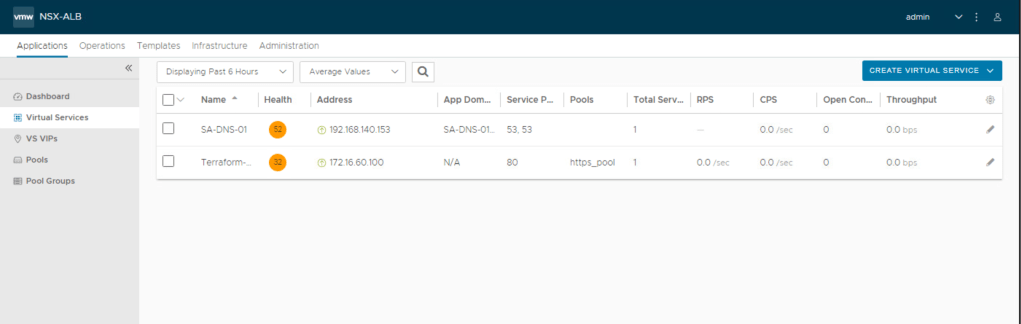
Now, lets validate the VS VIPs configured by terraform. In the below screenshot, it is evitable that new VS VIPs “172.16.60.100” is configured by Terraform.Navigate to Applications >VS VIPs.

In the last step, lets validate the creation of the server pool as new virtual server is backed up that new server pool. Navigate to Applications > Pools
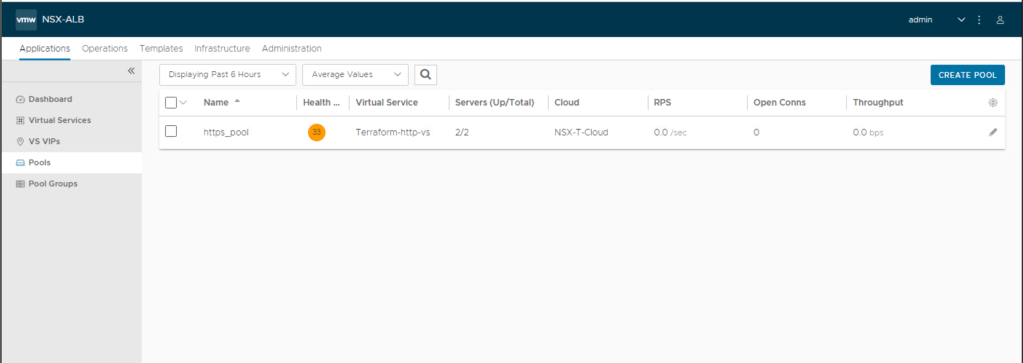
Above image confirmed that “https_pool” is configured on the AVI controller using terraform.
We haven’t checked the changes on the vCenter, as the AVI controller has configured SE’s on it to host required virtual services. Lets validate it.
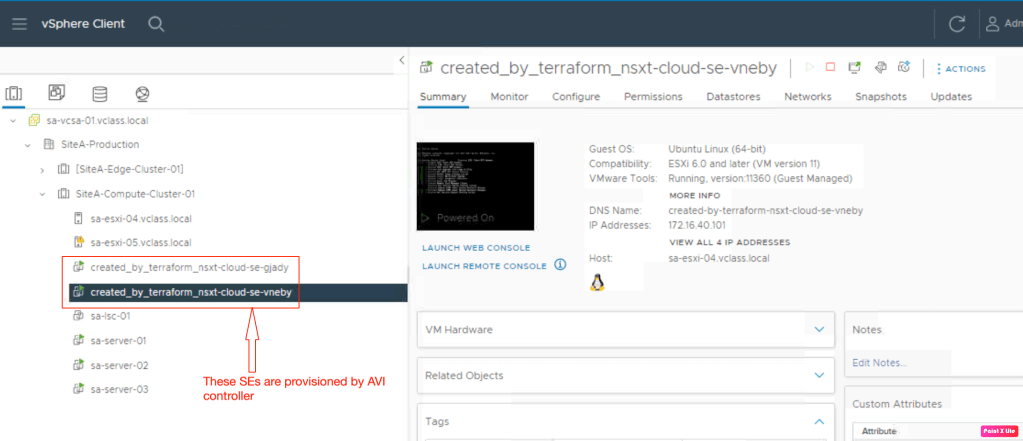
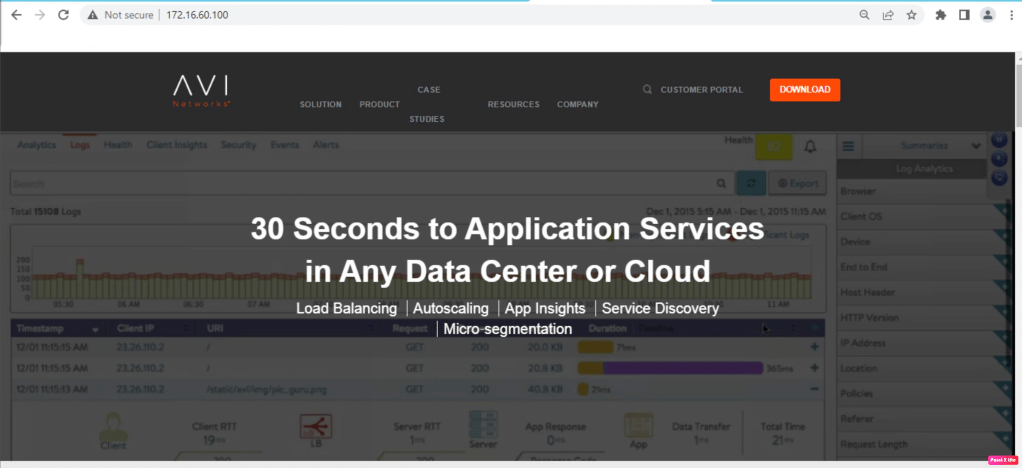
In the final step, we will try to access the AVI load balancer from the management-pc. Fortunately, we can access our newly configured virtual service from the workstation.
Lets try to access the virtual services from the linux server using “curl” command.
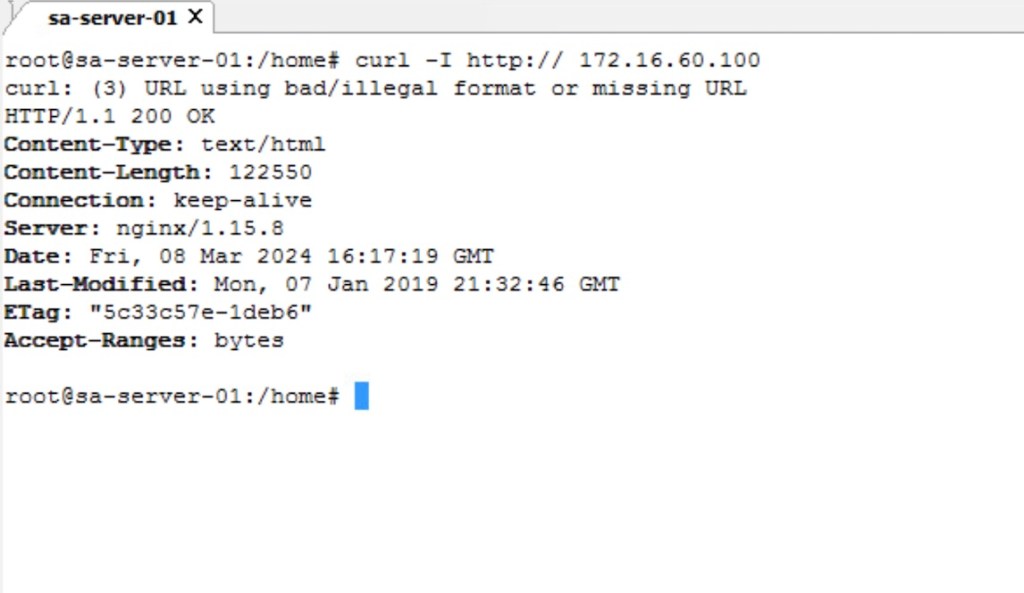
NB: We haven’t talked about the traffic flow. Therefore, we haven’t considered micro-segmentation and gateway firewalling on the NSX-T side.
In Summary:
In the first blog, we had successfully deployed NSX-T logical segments, Tier-1 gateway, and a DHCP server using terraform. We had also used existing Tier-0 gateway, edge cluster, transport zone. BGP was already configured between tier-0 gateway and upstream router.
In the second blog, we successfully deployed user credentials, a NSX-T cloud connector, and a SE group in the AVI controller using terraform.
However, in this part of the series, we created a virtual VIP, a server pool, and a virtual services using terraform. And we have also validated the same on the AVI controller, and on the vCenter.
I have uploaded the terraform script used in part-1, part-2 and part-3 on git hub:- https://github.com/anujjain116/Infrastructure-as-a-Code–Automating-integration-of-NSX-T-with-NSX-ALB-via-Terraform
Currently, many users are facing issues to download this script from the internet. Incase you need these files, kindly DM me.


 vxlearners
Leave a comment